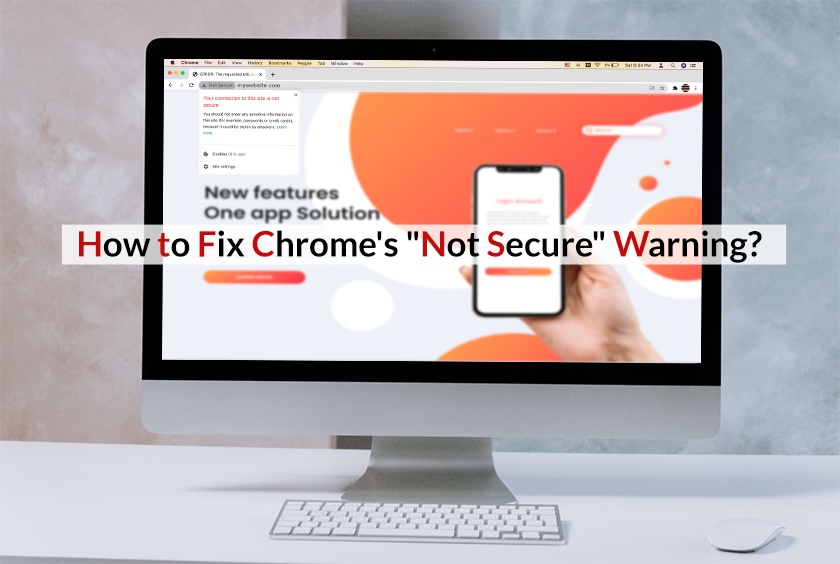
Introduction to Chrome’s ‘Not Secure’ Warning
In today’s digital age, online security is paramount. As we frequently visit websites, communicate, and transmit sensitive data, ensuring that our interactions are secure is essential. Both website owners and visitors are concerned about online safety, and encountering a “Not Secure” warning can be alarming. This warning indicates a potential security issue with a website, often suggesting that the site lacks adequate protection.
This article is part of Rackset’s Server guides — browse the rest of the category for more in-depth tutorials on this topic.
Google Chrome, one of the most popular web browsers, has implemented measures to enhance user security. In 2018, with the release of Chrome 68, Google began marking all HTTP websites as “Not Secure.” This message prominently appears in the browser’s address bar, alerting users to potential risks associated with visiting these sites.
Understanding the ‘Not Secure’ Warning
The ‘Not Secure’ warning is a clear indicator that a website lacks an SSL (Secure Socket Layer) certificate. SSL certificates play a crucial role in encrypting data transmitted between a user’s browser and the web server, ensuring that sensitive information remains confidential and protected from malicious actors.
Why SSL Certificates Matter
- Data Encryption: SSL certificates encrypt data, making it unreadable to anyone except the intended recipient.
- Authentication: They verify the identity of the website, ensuring users are communicating with the legitimate site.
- Data Integrity: SSL helps ensure that data transferred between the user and the website is not altered or corrupted.
Without an SSL certificate, data exchanged over an HTTP connection is vulnerable to interception and exploitation. This vulnerability is why Chrome’s ‘Not Secure’ warning is crucial for user awareness and safety.
Implications for Website Owners
For website owners, the ‘Not Secure’ warning can deter visitors, affect trust, and ultimately impact website traffic and engagement. To resolve this issue, obtaining and installing an SSL certificate is a critical step. This not only removes the warning but also enhances the credibility and security of the website.
In summary, understanding and addressing Chrome’s ‘Not Secure’ warning is vital for maintaining a secure and trustworthy online presence. By prioritizing SSL implementation, website owners can protect their users and foster a safer browsing experience.
The Importance of SSL Certificates
In today’s digital landscape, online security is paramount for both website owners and visitors. A critical component of this security is the SSL (Secure Socket Layer) certificate. SSL certificates play a vital role in safeguarding data transmitted between a user’s browser and a website’s server, ensuring that sensitive information remains confidential and secure from malicious entities.
What is an SSL Certificate?
An SSL certificate is a digital certificate that authenticates a website’s identity and enables an encrypted connection. It acts as a security protocol that encrypts data, making it unreadable to anyone except the intended recipient. This encryption is crucial for protecting sensitive information such as credit card numbers, login credentials, and personal data.
Benefits of SSL Certificates
- Data Protection: SSL certificates encrypt data, preventing unauthorized access and ensuring that sensitive information is transmitted securely.
- Trust and Credibility: Websites with SSL certificates display a padlock icon and use “https://” in the URL, signaling to users that the site is secure. This builds trust and credibility, encouraging users to engage with the site.
- SEO Advantages: Search engines like Google prioritize secure websites in their rankings. Having an SSL certificate can improve a site’s visibility and search engine ranking.
- Compliance: Many regulations and standards, such as GDPR and PCI DSS, require websites to use SSL certificates to protect user data.
Types of SSL Certificates
| Type | Description |
|---|---|
| Domain Validated (DV) | Basic level of validation, confirming ownership of the domain. Suitable for small websites and blogs. |
| Organization Validated (OV) | Includes validation of the organization’s identity, providing more trust. Ideal for business websites. |
| Extended Validation (EV) | The highest level of validation, offering the most trust and security. Recommended for e-commerce and financial sites. |
Conclusion
SSL certificates are essential for ensuring online security and building trust with users. By encrypting data and verifying website authenticity, SSL certificates protect sensitive information from cyber threats. For any website owner, investing in an SSL certificate is a crucial step in maintaining a secure and trustworthy online presence.
How SSL Certificates Enhance Security
SSL certificates play a crucial role in enhancing the security of websites by establishing a secure connection between the user’s browser and the web server. This secure connection is vital for protecting sensitive data, such as personal information, login credentials, and payment details, from being intercepted by malicious actors. Here’s how SSL certificates enhance security:
Data Encryption
One of the primary functions of an SSL certificate is to encrypt data transmitted between the browser and the server. Encryption transforms the data into a code, making it unreadable to anyone who might intercept it. This ensures that sensitive information remains confidential and secure.
Authentication
SSL certificates provide authentication, which verifies the legitimacy of a website. When a browser connects to a website, the SSL certificate confirms that the site is indeed what it claims to be. This helps prevent phishing attacks and ensures users are communicating with the intended website.
Read more: Secure WordPress Hosting Essentials for UAE Businesses
If you need this service, Rackset’s team provides professional SSL certificate with full support so you can rely on the quality and get set up quickly.
Data Integrity
SSL certificates ensure data integrity by preventing data from being altered or corrupted during transmission. This means that the information sent and received remains unchanged and trustworthy.
Types of SSL Certificates
- Domain Validated (DV): These certificates offer basic encryption and are suitable for small websites or blogs.
- Organization Validated (OV): These provide a higher level of security and are ideal for businesses and organizations.
- Extended Validation (EV): These offer the highest level of security and trust, often used by large enterprises and e-commerce sites.
Implementing SSL Certificates
- Purchase an SSL certificate from a trusted Certificate Authority (CA).
- Install the SSL certificate on your web server following the CA’s instructions.
- Update your website’s URLs to use HTTPS instead of HTTP.
- Test your website to ensure the SSL certificate is correctly installed and functioning.
By implementing an SSL certificate, website owners not only enhance their site’s security but also improve user trust and potentially boost their search engine rankings, as Google considers HTTPS a ranking factor. This makes SSL certificates an essential component of modern web security strategies.
Steps to Install an SSL Certificate
Installing an SSL certificate is a crucial step in securing your website and eliminating the “Not Secure” warning in Chrome. Follow these steps to successfully install an SSL certificate:
1. Purchase an SSL Certificate
First, you need to purchase an SSL certificate from a trusted Certificate Authority (CA) or a web hosting provider that offers SSL certificates. Different types of SSL certificates are available, such as Domain Validation (DV), Organization Validation (OV), and Extended Validation (EV). Choose the one that suits your needs.
2. Generate a Certificate Signing Request (CSR)
A CSR is required to request an SSL certificate. This can be generated through your server. Here’s a general command to create a CSR using OpenSSL:
openssl req -new -newkey rsa:2048 -nodes -keyout yourdomain.key -out yourdomain.csrDuring this process, you’ll be asked to provide information about your organization and domain.
3. Submit the CSR to the Certificate Authority
Submit the generated CSR to the CA from whom you purchased the SSL certificate. The CA will verify your details and issue your SSL certificate.
4. Install the SSL Certificate on Your Server
Once the CA issues the SSL certificate, you need to install it on your web server. The installation process varies depending on the server type:
Apache
- Locate the Apache configuration file (usually
httpd.conforapache2.conf). - Add the following lines to the Virtual Host file for your domain:
- Restart Apache to apply the changes.
  SSLEngine on
  SSLCertificateFile /path/to/yourdomain.crt
  SSLCertificateKeyFile /path/to/yourdomain.key
  SSLCertificateChainFile /path/to/yourdomain.ca-bundle
sudo systemctl restart apache2Nginx
- Open the Nginx configuration file for your domain.
- Add the following lines inside the server block:
- Restart Nginx to apply the changes.
  listen 443 ssl;
  ssl_certificate /path/to/yourdomain.crt;
  ssl_certificate_key /path/to/yourdomain.key;
  ssl_trusted_certificate /path/to/yourdomain.ca-bundle;
sudo systemctl restart nginx5. Verify the SSL Installation
After installation, verify that your SSL certificate is installed correctly using online tools like SSL Labs’ SSL Test. Ensure there are no warnings or errors.
By following these steps, you can secure your website with an SSL certificate and eliminate the “Not Secure” warning in Chrome.
Additional Benefits of SSL for Your Website
While the primary purpose of an SSL certificate is to secure data transmission between a user’s browser and your website, there are numerous additional benefits that an SSL certificate can bring to your website. These benefits extend beyond just security, offering improvements in trust, SEO, and overall user experience.
Read more: 10 Must-Do Steps to Secure Your WordPress Site from Hackers
Enhanced User Trust
When users see a padlock icon in the address bar, it signifies that the website is secure. This visual cue is crucial for building trust with your visitors. Users are more likely to engage with and make purchases from websites they perceive as secure.
If you need this service, Rackset’s team provides professional WordPress support with full support so you can rely on the quality and get set up quickly.
Improved Search Engine Ranking
Google has confirmed that having an SSL certificate is a ranking factor in its search algorithm. Websites with SSL certificates receive a slight boost in search engine rankings, which can help increase visibility and traffic to your site.
Data Integrity
SSL certificates ensure that the data sent and received from your website is not tampered with or altered during transmission. This integrity is crucial for maintaining accurate and reliable communication between your site and its users.
Compliance with Regulations
Many data protection regulations, such as GDPR, require websites to implement measures to protect user data. An SSL certificate is a fundamental step in achieving compliance with these regulations, helping you avoid potential legal issues and fines.
Authentication and Verification
SSL certificates provide authentication, ensuring that users are communicating with the legitimate website and not a malicious imposter. This verification process helps protect against phishing attacks and other forms of cybercrime.
Faster Page Load Speeds
With the advent of HTTP/2, websites using SSL can benefit from improved page load speeds. HTTP/2 requires SSL and offers features like multiplexing and header compression, which can enhance the performance of your website.
Summary of Benefits
| Benefit | Description |
|---|---|
| Enhanced User Trust | Users feel more secure seeing the padlock icon. |
| Improved SEO | SSL is a ranking factor in Google’s algorithm. |
| Data Integrity | Prevents data tampering during transmission. |
| Regulatory Compliance | Helps meet data protection regulations like GDPR. |
| Authentication | Ensures communication with the legitimate site. |
| Faster Load Speeds | HTTP/2 features improve performance. |
By implementing an SSL certificate, you not only address the “Not Secure” warning but also enhance the overall credibility and performance of your website.
Common Issues and Solutions with SSL Implementation
Implementing an SSL certificate is essential for securing your website and avoiding the “Not Secure” warning in Chrome. However, several common issues can arise during the SSL implementation process. Below are some of these issues along with practical solutions to resolve them.
1. Mixed Content Warnings
Mixed content occurs when a secure HTTPS page loads resources (such as images, scripts, or stylesheets) over an insecure HTTP connection. This can cause browsers to display a “Not Secure” warning.
Solution
- Ensure all resources on your page are loaded over HTTPS. Update any hard-coded HTTP URLs in your site’s code.
- Use browser developer tools to identify mixed content issues.
- Consider using a Content Security Policy (CSP) to upgrade insecure requests automatically.
2. Expired SSL Certificates
SSL certificates have a validity period and need to be renewed before they expire. An expired certificate will trigger a security warning.
Solution
- Monitor your SSL certificate’s expiration date and set reminders for renewal.
- Consider using an automated SSL renewal service if supported by your hosting provider.
3. Incorrect Certificate Installation
If the SSL certificate is not installed correctly, browsers may not recognize it, resulting in security warnings.
Read more: Secure Your WordPress: Change Login URL with Plugins
Solution
- Follow the installation instructions provided by your SSL certificate issuer carefully.
- Use online tools to check the installation and configuration of your SSL certificate.
- Contact your hosting provider for assistance if you encounter issues during installation.
4. Outdated Protocols
Using outdated security protocols can lead to compatibility issues and security warnings.
Every website needs stable, fast hosting to stay online. Rackset’s web hosting runs on NVMe storage with high uptime and 24/7 support, giving your site a reliable foundation.
Solution
- Ensure your server supports modern protocols such as TLS 1.2 or TLS 1.3.
- Disable older protocols like SSL 2.0 and SSL 3.0 on your server.
5. Domain Mismatch Errors
This error occurs when the domain on the SSL certificate does not match the domain being accessed.
Solution
- Ensure that the SSL certificate covers all domain variations (e.g., www and non-www).
- Consider using a wildcard or multi-domain SSL certificate if you have multiple subdomains.
By addressing these common issues, you can ensure a smooth SSL implementation and maintain a secure, trustworthy website for your visitors.
How Rackset Can Assist in Securing Your Website
Rackset is committed to helping you enhance the security of your website, ensuring that you can avoid the dreaded “Not Secure” warning in Google Chrome. We offer a comprehensive suite of services designed to safeguard your online presence and provide peace of mind to both you and your visitors.
SSL Certificates
One of the primary steps in securing your website is obtaining an SSL certificate. Rackset offers a variety of SSL certificates to suit different needs, whether you’re running a small blog or a large e-commerce platform. Our SSL certificates encrypt data transmitted between your server and your visitors, preventing unauthorized access and ensuring data integrity.
Types of SSL Certificates Offered
- Domain Validated (DV): Ideal for small websites and blogs, providing basic encryption and a quick issuance process.
- Organization Validated (OV): Suitable for businesses, offering a higher level of security and displaying your organization’s details in the certificate.
- Extended Validation (EV): Provides the highest level of trust and security, displaying a green address bar in the browser.
Automated SSL Installation
Rackset simplifies the process of installing SSL certificates with automated installation tools. This feature ensures that your SSL certificate is properly configured and reduces the risk of human error during setup.
Regular Security Audits
In addition to SSL certificates, Rackset offers regular security audits to identify potential vulnerabilities in your website. Our team of experts will perform a comprehensive analysis of your site and provide actionable recommendations to enhance your security posture.
24/7 Technical Support
Security issues can arise at any time, which is why Rackset provides 24/7 technical support. Our dedicated team is available to assist you with any security-related concerns, ensuring that your website remains secure and operational around the clock.
Additional Security Features
Beyond SSL certificates, Rackset offers additional security features to further protect your website:
- Web Application Firewall (WAF): Shields your site from common threats such as SQL injection and cross-site scripting (XSS).
- Malware Scanning and Removal: Regular scans to detect and eliminate malware from your site.
- DDoS Protection: Safeguards your site against distributed denial-of-service attacks.
By partnering with Rackset, you can ensure that your website is secure, trustworthy, and free from the “Not Secure” warning, providing a safe browsing experience for your visitors.
Secure Your Site, Gain Trust
Visitors leaving your site due to Chrome’s ‘Not Secure’ warning? Rackset’s SSL certificates encrypt data and eliminate these warnings, ensuring a trustworthy browsing experience.
Protect your visitors and your reputation!
Conclusion
Addressing Chrome’s ‘Not Secure’ warning is crucial for maintaining user trust and ensuring the security of your website. By obtaining and installing an SSL certificate, you not only encrypt data between your server and your users but also improve your site’s SEO ranking and overall credibility. Regularly monitoring and renewing your SSL certificates, as well as keeping your website’s software up-to-date, are essential steps in safeguarding your digital presence. By taking these actions, you can provide a secure and seamless browsing experience for your visitors, ultimately enhancing your site’s reputation and performance.
If you’re ready to secure your website and eliminate the ‘Not Secure’ warning, consider exploring Rackset’s range of SSL certificates and hosting solutions. Our expert support team is available to assist you in choosing and implementing the right security measures for your needs. Visit our website today to learn more about how we can help you achieve a secure and reliable online presence.
Frequently Asked Questions
What does the ‘Not Secure’ warning in Chrome mean?
The ‘Not Secure’ warning in Chrome indicates that the website you are visiting does not use HTTPS, meaning the connection is not encrypted. This could expose sensitive data to potential interception by attackers.
How can I check if a website is secure in Chrome?
Look for a padlock icon in the address bar. If it’s present, the site uses HTTPS, indicating a secure connection. If you see ‘Not Secure,’ the site lacks proper encryption.
Why is HTTPS important for websites?
HTTPS encrypts data exchanged between the browser and the server, protecting sensitive information from being intercepted. It also improves SEO rankings and builds user trust.
How can I resolve the ‘Not Secure’ warning on my website?
To resolve this warning, obtain and install an SSL certificate on your website. Ensure all resources on your site are loaded via HTTPS to prevent mixed content warnings.
What are the risks of ignoring the ‘Not Secure’ warning?
Ignoring the warning can lead to data breaches, loss of customer trust, and potential SEO penalties. Sensitive data like passwords and credit card information could be exposed to attackers.

Behzad Nategh is the Founder and CEO of Rackset, with 20+ years in web hosting, cloud infrastructure, and web design. He writes on hosting, domains, security, and growing an online business.
Leave a Reply