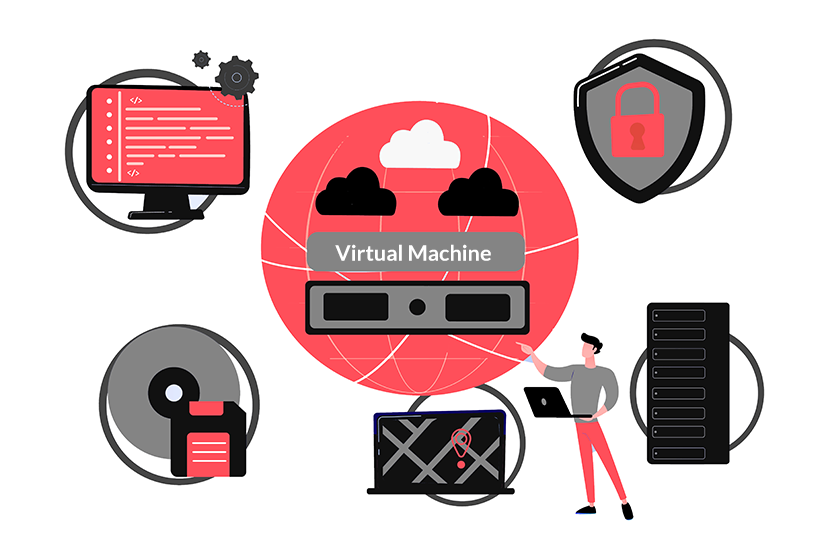
What is VM? VM stands for Virtual Machine, enabling you to run different operating systems on it, such as Windows or Linux. A VM behaves completely like your computer, and it can be used to run software that you can’t run on your computer, online apps, launch a website, etc.
There are many reasons why you should upgrade to VM from shared, different types of a virtual machine. In this article, we would like to talk about Virtual Machine and explain everything you must know.
What is Virtual Machine? Is It Reliable?
A virtual machine allows you to create an environment virtually. A Virtual Machine runs as a window on any operating system you are currently running on your computer. A Virtual Machine works like a separate computer with its operating system. A Virtual Machine works as if it’s a real computer, and it can install and run the software as you normally would.
There are terms in the Virtual Machine world. For example, the VM is running on your computer, and your computer is called the host; the operating system installed on the VM is called guests. The operating system installed on a VM is stored on a virtual hard drive that takes a portion of your real hard drive.
Typically, VM tends to overheat your computer. Thus, it may not be as fast as your computer. Now that you are familiar with what a virtual machine is, we will get into different virtual machine types. You can install a virtual machine on your PC with Oracle VM, which is the most trusted software for setting up a virtual environment.
When Should You Upgrade to Virtual Machine?
The main reason someone should use or upgrade to a Virtual Machine is server consolidation. As most operating systems and applications tend to use a small portion of resources, by going virtual, you can save tons of resources and have more virtual servers into one single server, which is a great option for hardware utilization.
This, of course, eliminates the need to purchase any extra resources like hardware, RAM, etc. Also, it reduces your power cost. Typically, a Virtual Machine (VM) provides better disaster recovery options simply by enabling the failover feature as to previously having to add extra hardware to enable this option.
A Virtual Machine runs on its own environment and won’t interfere with the rest of the system, and it is somewhat isolated from the host’s hardware. This isolation makes it a perfect solution to test new applications without worrying about any security leaks and whatnot.
Nowadays, many hosting providers have gone virtual and are offering virtual services such as cloud hosting, VPS, etc.
What is WordPress VPS Hosting
VPS stands for Virtual Private Server; it functions similarly to a dedicated server but on a smaller scale. Instead of having a single physical server, you pull resources from multiple servers connected virtually. There is a small difference between your daily shared hosting plan to a VPS hosting and, more specifically, WordPress. In WordPress shared hosting, the server is configured specifically for WordPress, but it may have a dozen other users on the same server because it is shared. Whereas WordPress VPS hosting is also configured for WordPress, but it pulls resources from different servers. Thus, your website, application, etc., won’t go down, and it is always up.
As mentioned, a WordPress VPS hosting is a normal Virtual Private Server configured for WordPress, and it can run WordPress smoothly and without any issues.
Types of Virtual Machine and Their Uses

There are two types of virtual machines. However, we have different types of Virtualization that we will talk about down below. But first, let’s talk about different types of VM. The two types of Virtual Machines are called A Process Virtual Machine and A System Virtual Machine.
A Process Virtual Machine enables a single process to run on it as an application. It provides an environment that is isolated, and it is perfect for programmers. An example of a Process Virtual Machine is the popular Java Virtual Machine which allows the operating system of the VM to run Java applications without any errors.
On the other hand, a System Virtual Machine is a virtualized version of physical machines. It enables the hosts’ physical resources to be shared among multiple VMs, and each of them can have their operating system. An example of this type is a VPS.
What Are the Different Types of Virtualization?
As mentioned, there are two types of virtual machines and a few types of Virtualization.
– Hardware Virtualization
Hardware Virtualization is when you virtualize hardware. For example, It is where you virtualize a server’s hardware and share the resources amongst a few different clients.
– Software Virtualization
Software Virtualization creates an environment where multiple users can access one software. For example, some Android devices can run on a host machine using the Windows operating system and utilizing the same hardware as the host. A better example would be universities. They often use a single software for an entire classroom. They achieve that by simply virtualizing the software.
– Storage Virtualization
Much like hardware and software, storage can also be virtualized. You can consolidate multiple storage devices to show up as a single storage device. This, of course, increases the performance and speed of the storage device and reduces the cost. More importantly, it is perfect and recommended for disaster recovery.
– Network Virtualization
Networks can also be created on a physical network and turned into one big network containing a lot of virtual networks. Network virtualization is the perfect choice for companies with a huge number of users who need to have access to a certain network at any given time.
– Desktop Virtualization
Desktop Virtualization is the most common amongst all. It separates the physical device from the desktop environment and allows you to have a remote server. Also, it enables users to access their computers wherever they are.
What Is Managed Virtual Machine
A managed virtual machine or MVM, for short, is a VM that is suitable for developers and allows them to start working on system platforms as it would reduce the manual process of installing and configuring an environment. Also, it enables the development to be synced with the host at all times.
What is Dedicated Virtual Server and Virtual Machine Host
A dedicated virtual server is a virtual server that may look like a dedicated server, but it is a virtual server installed on the computer of a user. There can be multiple dedicated virtual servers installed on a computer, and each of them can have its operating system.
A Virtual Machine host is exactly like a virtual machine. Still, they are separated from the physical aspect, and they enable users to pull resources and access machines.
Frequently Asked Questions
What are the differences between managed and unmanaged VM?
Managed Virtual Machine is where a team of experts or software is monitoring the virtual server, and should there are any issues, it will notify the user and warn them about it. Unmanaged is exactly what it sounds like; the server and created virtual environment are totally up to the users, and they should manually configure and monitor it.
What is cPanel VPS hosting?
cPanel is a control panel interface designed specifically for website owners. It can simplify uploading, managing web pages, creating email accounts, installing web applications, generating visitors statistics, reviewing errors, etc.
Do you configure VM yourself?
Yes. Thanks to the VM software that you can download for free, you can configure the installation process yourself and allocate RAM, storage, and CPU usage as much as you like to the created Virtual Machine on your computer. As you are in charge of configuring the VM, you can fix them yourself if you face any errors.
What is your virtual machine uptime?
Since the VM is created on either your computer or highly specified servers, the uptime is close to 100%. Meaning, you may hardly see it going down.
How fast and reliable are your servers?
VM-created environments are highly secure and fast as they pull resources from multiple servers. Also, they are the newest technology and use NVMe SSD and use the most recent CPU in the market and DDR4 RAM.
Can you install cPanel and LiteSpeed?
Yes. Our experts’ team can install and configure cPanel for you.
Is virtual machine safe?
Yes. Virtual Machines are considered an isolated environment from the physical operating system. You can run all sorts of software without having to fear compromising your operating system.
Key Benefits of Using Virtual Machines
Virtual machines (VMs) offer a range of benefits that make them an essential tool in modern computing. Here are some of the primary advantages:
- Resource Efficiency: VMs allow multiple operating systems to run on a single physical machine, optimizing hardware use.
- Cost Savings: By reducing the need for physical hardware, VMs can significantly cut IT expenses.
- Isolation and Security: Each VM operates independently, enhancing security by isolating applications from each other.
- Scalability: Easily scale your infrastructure by adding or removing VMs as needed.
How to Set Up Your First Virtual Machine
Setting up a virtual machine can be straightforward with the right steps. Follow this guide to get started:
- Select a Hypervisor: Choose a hypervisor like VMware, Hyper-V, or VirtualBox based on your needs and compatibility.
- Install the Hypervisor: Download and install your chosen hypervisor on your host machine.
- Create a New VM: Use the hypervisor’s interface to create a new virtual machine, specifying the desired operating system and resources.
- Install an Operating System: Load your chosen OS onto the VM using an ISO file or physical media.
- Configure VM Settings: Adjust settings such as CPU, memory, and network configurations to optimize performance.
Virtual Machines vs. Containers: A Quick Comparison
| Feature | Virtual Machines | Containers |
|---|---|---|
| Isolation | Full OS isolation | Process-level isolation |
| Startup Time | Minutes | Seconds |
| Resource Efficiency | Less efficient due to full OS overhead | More efficient, shares OS kernel |
| Use Case | Running multiple OS environments | Microservices and lightweight apps |
FAQ
What is a virtual machine used for?
Virtual machines are used to run multiple operating systems on a single physical machine, allowing for testing, development, and efficient resource utilization.
How do virtual machines improve security?
Virtual machines enhance security by isolating applications and operating systems from one another, reducing the risk of system-wide vulnerabilities.
Can I run a virtual machine on any computer?
Most modern computers can run virtual machines, but performance may vary based on hardware specifications such as CPU, RAM, and storage capacity.
Explore our VPS hosting solutions for scalable and efficient virtual environments.
Practical Applications of Virtual Machines
Virtual machines (VMs) have become an essential component of modern IT infrastructure, offering immense flexibility and scalability. One of the most practical applications of VMs is in software development and testing environments. Developers can easily create isolated environments to test new applications without affecting the host system. This isolation ensures that any bugs or issues encountered during testing do not impact other projects or the underlying hardware.
Another significant application is in server consolidation. Organizations can run multiple virtual servers on a single physical server, optimizing hardware usage and reducing costs. This consolidation is particularly beneficial for businesses that need to run diverse applications on different operating systems. Additionally, VMs are widely used in educational settings, where they provide students with hands-on experience in configuring and managing different operating systems and applications.
Comparing Virtual Machines and Containers
While virtual machines and containers both serve as tools for virtualization, they have distinct differences that make them suitable for different scenarios. Virtual machines virtualize an entire operating system, including the kernel, which allows them to run a complete OS environment with its own resources. This makes VMs ideal for running applications that require full OS functionality or when isolation between applications is crucial.
Containers, on the other hand, share the host OS kernel and are more lightweight compared to VMs. They are designed to package and run applications along with their dependencies in a consistent environment. This makes containers particularly useful for microservices architectures and applications that need to be deployed quickly and efficiently. While VMs offer stronger isolation, containers provide faster startup times and are often more resource-efficient.
- Isolation: VMs provide complete isolation, while containers share the host OS.
- Resource Usage: VMs are more resource-intensive; containers are lightweight.
- Startup Time: VMs have longer boot times; containers start almost instantly.
- Use Cases: VMs for full OS environments; containers for application deployment.
Best Practices for Managing Virtual Machines
Effective management of virtual machines is crucial for maximizing their potential and ensuring smooth operations. One best practice is to implement automated VM provisioning and de-provisioning. Automation tools can help in quickly deploying VMs when needed and shutting them down when they are no longer in use, thereby optimizing resource utilization and reducing costs.
Regular monitoring and maintenance of VMs are also essential. This includes keeping the virtual machine software and applications up to date with the latest patches and security updates. Additionally, monitoring resource usage and performance metrics can help in identifying potential bottlenecks or issues before they impact operations. Implementing robust backup and disaster recovery strategies is another critical aspect, ensuring data integrity and availability in case of failures.
- Automate VM provisioning and de-provisioning to optimize resources.
- Regularly update and patch VM software for security.
- Monitor performance metrics to preemptively address issues.
- Implement backup and disaster recovery strategies.
Troubleshooting Common Virtual Machine Issues
Despite their many advantages, virtual machines can encounter various issues that require troubleshooting. One common problem is performance degradation, which can be caused by insufficient resources allocated to the VM. To resolve this, ensure that the VM has adequate CPU, memory, and storage allocations based on the workload requirements. Additionally, consider using resource monitoring tools to identify and address bottlenecks.
Another frequent issue is network connectivity problems. These can arise from misconfigured network settings or conflicts with the host system’s network configuration. To troubleshoot, verify that the virtual network adapters are correctly configured and that there are no IP address conflicts. Checking firewall settings and ensuring that the necessary ports are open can also help in resolving connectivity issues.
- Allocate sufficient resources to prevent performance degradation.
- Use monitoring tools to identify resource bottlenecks.
- Verify network adapter configurations for connectivity issues.
- Check firewall settings and open necessary ports.

Behzad Nategh is the Founder and CEO of Rackset, with 20+ years in web hosting, cloud infrastructure, and web design. He writes on hosting, domains, security, and growing an online business.
Leave a Reply