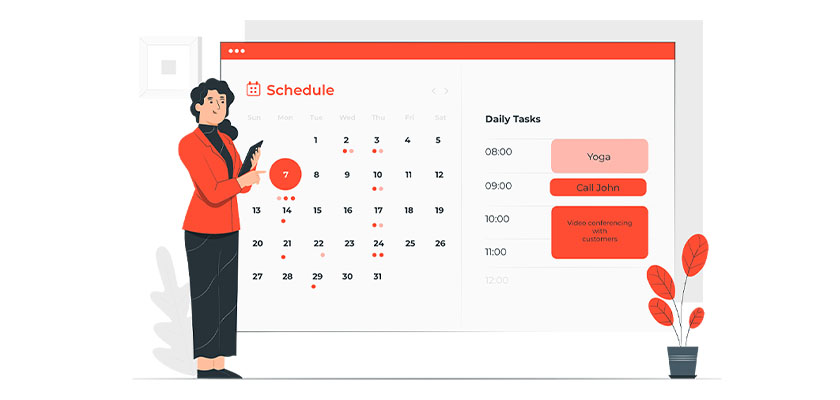
Understanding WordPress Booking Plugins
In today’s digital age, businesses ranging from dental practices to restaurants and gyms require efficient systems for managing appointments and reservations. WordPress booking plugins serve as essential tools that streamline this process, replacing the traditional phone call and paper calendar method with a seamless online experience.
This article is part of Rackset’s Web Development guides — browse the rest of the category for more in-depth tutorials on this topic.
What Are Booking Plugins in WordPress?
WordPress booking plugins are specialized programs that allow businesses to manage appointments or reservations directly through their WordPress websites. These plugins offer a range of functionalities, enabling clients to book services or reserve spaces at specified times and locations. They are vital for businesses as they facilitate both client and employee interactions, ensuring smooth operation and customer satisfaction.
Types of WordPress Booking Plugins
WordPress booking plugins come in various forms, catering to different business needs. Here are some common types:
- Appointment Booking Plugins: Ideal for businesses like salons, medical practices, and personal trainers where clients need to book specific time slots.
- Event Booking Plugins: Suitable for venues or organizations hosting events that require ticket sales or RSVPs.
- Room Booking Plugins: Perfect for hotels or rental services needing to manage room availability and reservations.
Key Features to Look For
When selecting a WordPress booking plugin, consider the following features to ensure it meets your business needs:
- Calendar Integration: Sync bookings with popular calendar services like Google Calendar to keep track of appointments.
- Payment Processing: Offer secure online payment options to streamline the booking process.
- Customization Options: Adjust the plugin’s appearance and functionality to match your website’s design and business requirements.
- Notifications and Reminders: Send automated emails or SMS reminders to clients about their upcoming appointments.
- User-Friendly Interface: Ensure the plugin is easy for both staff and clients to use, minimizing the learning curve.
Conclusion
Choosing the right WordPress booking plugin is crucial for businesses that rely on appointments or reservations. By understanding the different types and key features of these plugins, you can select the best solution to enhance your business operations and customer experience.
Key Features of Booking Plugins
Booking plugins are essential tools for businesses that rely on scheduling appointments or reserving spaces. Whether you are a dentist, restaurant owner, or personal trainer, a well-chosen booking plugin can streamline your operations and enhance customer satisfaction. Here are some key features to look for when choosing a booking plugin for your WordPress site:
1. User-Friendly Interface
The interface should be intuitive for both the business owner and the customer. A simple, clean design with easy navigation ensures that users can book appointments without confusion or frustration.
2. Customizable Booking Forms
Flexibility in creating booking forms allows businesses to tailor the fields to their specific needs. Whether you need to collect additional information or adjust time slots, customizable forms are vital.
3. Calendar Integration
Seamless integration with popular calendar platforms like Google Calendar or Outlook helps synchronize bookings with personal or business schedules, reducing the risk of double bookings.
4. Automated Notifications
Automated email or SMS notifications ensure that both customers and staff are reminded of upcoming appointments, reducing no-shows and enhancing organization.
5. Payment Processing
Integrated payment gateways allow customers to pay for their appointments online, providing convenience and ensuring that payments are secured before the service is rendered.
6. Mobile Responsiveness
With the increasing use of mobile devices for browsing, booking plugins must be fully responsive to provide a smooth user experience across all devices.
7. Multi-Language Support
If your business caters to a diverse clientele, multi-language support can be crucial in ensuring that all customers can navigate and use the booking system comfortably.
Read more: Top 5 Plugins to Change WordPress Login URL
If you need this service, Rackset’s team provides professional WordPress hosting with full support so you can rely on the quality and get set up quickly.
8. Reporting and Analytics
Access to detailed reports and analytics helps businesses track booking trends, customer preferences, and operational efficiency, enabling data-driven decision-making.
9. Staff Management
For businesses with multiple staff members, the ability to assign bookings to specific employees and manage their schedules is essential for operational efficiency.
10. Integration with Other Tools
Compatibility with other WordPress plugins and third-party tools enhances the functionality of the booking system, allowing for a more comprehensive and integrated approach to managing appointments.
How to Choose the Right Plugin for Your Business
Choosing the right WordPress booking plugin is crucial for ensuring efficient scheduling and enhancing customer satisfaction. With numerous options available, it’s essential to evaluate your business needs and the features provided by each plugin. Here’s a guide to help you make an informed decision.
Identify Your Business Requirements
Consider the specific needs of your business. For instance, a dentist’s office may require features like multiple service types, staff scheduling, and patient reminders. A restaurant might need table reservations and menu integration. Understanding your requirements will help narrow down the options.
- Service Type: Determine if the plugin supports the type of service you offer, whether it’s appointments, reservations, or event bookings.
- Number of Staff: Consider if the plugin allows for multiple staff members with individual schedules.
- Booking Volume: Evaluate if the plugin can handle the volume of bookings you expect.
Evaluate Features and Functionality
Once you have identified your needs, compare the features of various plugins. Look for the following functionalities:
- Calendar Integration: Ensure the plugin integrates with popular calendar systems like Google Calendar.
- Payment Processing: Check if it supports payment gateways for online payments.
- Notifications: Look for automated email or SMS notifications for confirmations and reminders.
- Customization: Consider the level of customization available to match your brand’s look and feel.
Consider User Experience
The user experience for both your staff and clients is vital. A complicated booking process can deter potential clients. Ensure the plugin offers:
- User-Friendly Interface: A simple and intuitive interface for both front-end users and back-end management.
- Mobile Responsiveness: The plugin should be fully responsive to cater to users on mobile devices.
Check Compatibility and Support
Ensure the plugin is compatible with your current WordPress theme and other plugins. Additionally, reliable customer support is crucial for troubleshooting and assistance.
- Theme Compatibility: Verify that the plugin works seamlessly with your existing WordPress theme.
- Support and Documentation: Look for plugins with comprehensive support and detailed documentation.
Test and Review
Before committing, test the plugin with a trial version if available. Read reviews from other users to gain insights into their experiences.
By carefully evaluating these aspects, you can choose a WordPress booking plugin that not only meets your business needs but also enhances the overall customer experience.
Top Free WordPress Booking Plugins
Incorporating a booking system into your WordPress site can transform how you manage appointments and reservations. For businesses like dental practices, restaurants, or personal trainers, having an efficient booking system is vital. Fortunately, there are several free WordPress booking plugins that can help streamline this process. Here are some of the top options available:
1. Booking Calendar
Booking Calendar is one of the most popular free booking plugins available for WordPress. It allows users to easily book appointments through a simple and intuitive interface. You can display availability and receive bookings directly from your website.
WordPress sites run faster and safer on a platform tuned for them. Rackset’s managed WordPress hosting adds WordPress-specific caching, security and automatic updates so your site stays quick and protected.
- Features: Calendar view, email notifications, mobile-friendly design.
- Best for: Small businesses and individuals needing a straightforward booking solution.
2. WP Simple Booking Calendar
WP Simple Booking Calendar is a great option if you need a basic booking system without too many bells and whistles. It’s perfect for displaying availability and managing simple reservations.
- Features: Easy calendar setup, translation-ready, responsive design.
- Best for: Rental properties or small service providers.
3. Amelia Lite
Amelia Lite is a free version of the premium Amelia booking plugin, offering a sleek and modern interface. It’s designed to handle appointments for a wide range of services.
- Features: User-friendly booking wizard, SMS notifications, customizable booking forms.
- Best for: Businesses wanting a professional look without the cost.
4. Simply Schedule Appointments
Simply Schedule Appointments offers a user-friendly experience with a focus on simplicity and ease of use. It allows for quick setup and integration into your existing WordPress site.
- Features: Drag-and-drop builder, Google Calendar integration, customizable notifications.
- Best for: Users who need a quick and easy appointment scheduling solution.
5. Easy Appointments
Easy Appointments is a flexible plugin that supports multiple locations, services, and workers. It’s ideal for businesses that need to manage bookings across different locations and service providers.
- Features: Multi-language support, Google Calendar sync, customizable form fields.
- Best for: Businesses with complex scheduling needs.
These free plugins provide a solid foundation for managing bookings and appointments on your WordPress site. Choose the one that best suits your business requirements and start streamlining your scheduling process today.
Premium Booking Plugins Worth Considering
When your business requires a robust and feature-rich booking system, premium WordPress booking plugins are worth the investment. These plugins not only streamline the appointment scheduling process but also offer advanced functionalities that free versions might lack. Here are some top premium booking plugins to consider:
1. Bookly Pro
Bookly Pro is a comprehensive booking plugin that caters to various industries, including healthcare, restaurants, and fitness centers. It offers a customizable booking form, supports multiple languages, and integrates with Google Calendar for seamless scheduling.
- Features: Unlimited services, staff members, and booking forms.
- Payment Integration: Supports PayPal, Stripe, and other payment gateways.
- Notifications: Automated SMS and email notifications.
- Customization: Fully customizable design to match your website’s theme.
2. Amelia
Amelia is another powerful booking plugin designed for businesses that require a flexible and user-friendly scheduling system. It’s suitable for spas, salons, gyms, and other service-based industries.
- Features: Calendar view, custom fields, and group bookings.
- Payment Integration: Accepts payments via PayPal and Stripe.
- Customer Management: Built-in CRM for managing customer data.
- Interface: Intuitive interface with a responsive design.
3. WooCommerce Bookings
WooCommerce Bookings is ideal for businesses already using WooCommerce for their online store. It allows you to sell time-based bookings, making it perfect for hotels, rental services, and tours.
- Features: Flexible booking options, including overnight and multi-day bookings.
- Integration: Seamlessly integrates with WooCommerce for payment processing.
- Management: Manage bookings directly from your WordPress dashboard.
- Customization: Customizable booking forms and availability schedules.
Conclusion
Investing in a premium booking plugin can significantly enhance your business’s efficiency and customer satisfaction. Each of these plugins offers unique features tailored to different business needs, ensuring you find the perfect fit for your enterprise.
Integrating Booking Plugins with Payment Systems
Integrating booking plugins with payment systems is a critical step for businesses that need to streamline their reservation processes while ensuring secure, efficient transactions. Whether you’re a dentist, a restaurant owner, or a personal trainer, having a seamless integration between your booking system and payment gateway can significantly enhance customer experience and operational efficiency.
Read more: Fastest Themes for WordPress 2023
Why Integrate Payment Systems?
- Convenience: Customers can book and pay in a single transaction, reducing friction and increasing the likelihood of completed bookings.
- Security: Reputable payment gateways offer secure transactions, protecting both the business and the customer from fraud.
- Automation: Payments are automatically processed, reducing manual work and minimizing errors.
- Global Reach: Accept payments in multiple currencies, expanding your business’s reach to international clients.
Popular Payment Gateways
Most WordPress booking plugins offer integration with popular payment gateways. Here are some commonly supported options:
| Payment Gateway | Features |
|---|---|
| PayPal | Global reach, easy setup, widely trusted |
| Stripe | Advanced features, supports multiple currencies, strong security |
| Square | Ideal for small businesses, integrates with POS systems |
Steps to Integrate Payment Systems with Booking Plugins
- Choose a Compatible Plugin: Select a booking plugin that supports integration with your preferred payment gateway.
- Set Up Your Payment Gateway Account: If you haven’t already, create an account with the payment gateway you intend to use.
- Configure the Plugin: Navigate to the plugin settings in your WordPress dashboard and enter the required API keys or credentials for your payment gateway.
- Test the Integration: Conduct test transactions to ensure that bookings and payments are processed correctly.
- Monitor and Optimize: Regularly review transaction logs and customer feedback to optimize the booking and payment process.
Example Code for Stripe Integration
function configure_stripe_payment() {
    $stripe = new StripeStripeClient('your-secret-key');
    $intent = $stripe->paymentIntents->create([
        'amount' => 1000,
        'currency' => 'usd',
        'payment_method_types' => ['card'],
    ]);
    return $intent;
}
Integrating your booking plugin with a payment system not only enhances the user experience but also ensures that your business runs smoothly and efficiently. Choose the right tools and follow best practices to make the most of your WordPress booking system.
When you need to scale on demand, cloud hosting spreads your site across redundant infrastructure for better uptime and performance during traffic spikes.
Ensuring Mobile Compatibility in Booking Plugins
In today’s fast-paced world, ensuring that your WordPress booking plugin is mobile-compatible is not just an option; it’s a necessity. Whether you’re a dentist, restaurant owner, or personal trainer, your clients are likely to book appointments on the go. Mobile compatibility ensures that your booking system is accessible and user-friendly across all devices, enhancing the user experience and potentially increasing bookings.
Why Mobile Compatibility Matters
With the majority of internet users accessing websites through their smartphones, a mobile-compatible booking plugin ensures that your clients can easily make reservations without being tethered to a desktop. A seamless mobile experience can lead to higher customer satisfaction and retention. Moreover, search engines like Google prioritize mobile-friendly websites, which can improve your site’s search engine ranking.
Features to Look for in Mobile-Compatible Booking Plugins
- Responsive Design: The plugin should automatically adjust to different screen sizes and orientations, providing a consistent experience on smartphones and tablets.
- Touch-Friendly Interface: Elements such as buttons and calendars should be easy to use with touch inputs, reducing the chance of user errors.
- Fast Loading Times: Mobile users expect quick load times. A plugin that is optimized for speed can improve user satisfaction and reduce bounce rates.
- Offline Access: Some advanced plugins offer offline access, allowing users to view their bookings even without an internet connection.
Testing Mobile Compatibility
Once you have selected a booking plugin, it’s crucial to test its mobile compatibility. Here are some steps you can take:
- Use Mobile Emulators: Tools like Google Chrome’s Developer Tools allow you to simulate how your booking page looks on various devices.
- Test on Real Devices: Whenever possible, check the booking process on actual smartphones and tablets to ensure everything functions smoothly.
- Gather User Feedback: Encourage clients to provide feedback on their mobile booking experience and use this information to make improvements.
Conclusion
Ensuring mobile compatibility in your WordPress booking plugin is essential for meeting the needs of your on-the-go clients. By choosing a plugin with responsive design, touch-friendly interfaces, and fast loading times, you can provide a seamless booking experience that enhances customer satisfaction and supports business growth.
Managing Multiple Schedules and Service Providers
Managing multiple schedules and service providers can be a daunting task without the right tools. WordPress booking plugins offer features designed to streamline this process, ensuring that businesses can efficiently handle various bookings and appointments, whether you’re a dentist, a restaurant owner, or a personal trainer.
Features to Look For
When selecting a WordPress booking plugin to manage multiple schedules and service providers, consider the following features:
- Multi-Calendar Support: Allows each service provider to have their own calendar, avoiding scheduling conflicts.
- Staff Management: Enables assigning appointments to specific staff members and checking their availability.
- Automated Notifications: Sends email or SMS reminders to clients and staff, reducing no-shows and ensuring everyone is informed.
- Customizable Booking Forms: Tailors the booking process to collect the necessary information for each type of service or provider.
- Integration with Payment Gateways: Facilitates upfront payments, reducing cancellations and securing bookings.
Top Plugins for Managing Multiple Schedules
Here are some top WordPress booking plugins that excel in managing multiple schedules and service providers:
| Plugin | Key Features | Best For |
|---|---|---|
| Amelia | Multi-calendar support, automated notifications, payment integration | Medium to large businesses with multiple staff |
| Bookly | Customizable booking forms, staff management, SMS notifications | Businesses needing flexible booking form customization |
| Simply Schedule Appointments | Easy setup, Google Calendar sync, customizable notifications | Small businesses and individual service providers |
Setting Up a Plugin
To set up a WordPress booking plugin for managing multiple schedules, follow these general steps:
- Install and activate the plugin from the WordPress plugin repository.
- Configure the general settings, including time zones and currency.
- Create profiles for each service provider, assigning their availability and services.
- Customize booking forms to suit your business needs.
- Integrate with payment gateways if necessary.
- Test the booking process to ensure everything functions smoothly.
By leveraging these features and plugins, businesses can efficiently manage multiple schedules and service providers, improving customer satisfaction and operational efficiency.
Boost Your Booking with Rackset
Efficient scheduling needs more than just a great plugin—it requires a robust hosting solution. With Rackset’s WordPress hosting, enjoy seamless integrations and fast loading times that keep your bookings on track.
Upgrade your booking game today!
Conclusion
Choosing the right WordPress booking plugin is crucial for streamlining your scheduling process and enhancing the user experience. Each plugin offers unique features tailored to different needs, whether you’re managing appointments for a small business, a large corporation, or a freelance service. Consider factors such as ease of use, customization options, integration capabilities, and budget when selecting a plugin. By implementing a reliable booking system, you can reduce administrative tasks, minimize scheduling conflicts, and provide a seamless booking experience for your clients.
As you explore the various options available, remember that the ideal plugin should align with your specific business goals and operational requirements. Once you’ve identified the right tool, take advantage of its features to optimize your booking process and improve customer satisfaction. If you’re looking to enhance your website’s performance further, consider exploring Rackset’s hosting solutions to ensure your site runs smoothly and efficiently. A fast, reliable hosting service can complement your booking system, providing an exceptional experience for your users.
Frequently Asked Questions
What are the benefits of using a booking plugin for WordPress?
Booking plugins for WordPress streamline the scheduling process, reduce manual work, and minimize errors. They offer features like automated confirmations, reminders, and payment integrations, enhancing the user experience and improving operational efficiency.
How do booking plugins integrate with payment gateways?
Most booking plugins for WordPress integrate seamlessly with popular payment gateways like PayPal, Stripe, and Square. This allows businesses to securely process payments directly through their website, offering convenience to both the business and its customers.
Can I customize the booking process with WordPress plugins?
Yes, many WordPress booking plugins offer extensive customization options. You can tailor the booking forms, set availability, define booking rules, and customize notifications to fit your specific business needs.
Are there free WordPress booking plugins available?
Yes, there are several free WordPress booking plugins available, such as Simply Schedule Appointments and Easy Appointments. While free versions offer basic features, premium versions typically provide more advanced functionality and support.
How do I choose the right booking plugin for my WordPress site?
To choose the right booking plugin, consider factors like the specific features you need, ease of use, compatibility with your existing WordPress theme, and customer support. Reading user reviews and testing free versions can also help in making an informed decision.

Behzad Nategh is the Founder and CEO of Rackset, with 20+ years in web hosting, cloud infrastructure, and web design. He writes on hosting, domains, security, and growing an online business.
Leave a Reply