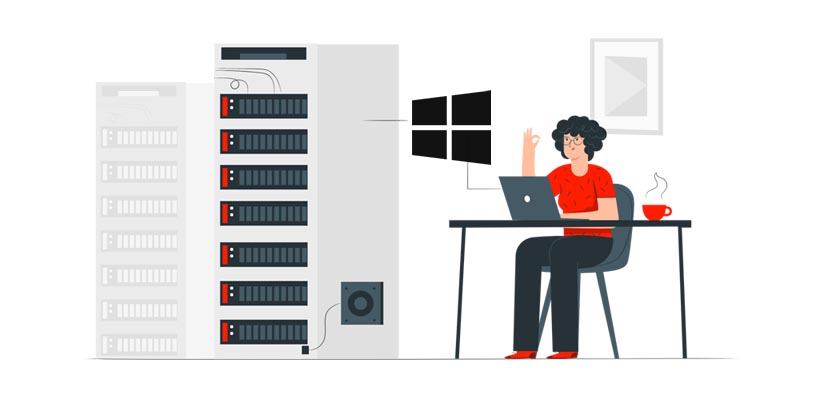
Introduction to Windows VPS Hosting
Windows VPS Hosting refers to a Virtual Private Server environment that runs on the Windows operating system. It combines the benefits of a dedicated server with the flexibility and scalability of virtualization. This type of hosting is ideal for users who need a robust and customizable server solution that can handle specific Windows-based applications and services.
This article is part of Rackset’s Server guides — browse the rest of the category for more in-depth tutorials on this topic.
What Is Windows VPS Hosting?
When you choose a Windows VPS, you receive a portion of a physical server’s resources dedicated solely to your use. This setup provides an isolated environment that mimics a physical server, allowing for greater control and customization. The server operates on the Windows OS, which is essential for running applications that require a Windows environment.
Windows VPS hosting is particularly beneficial for businesses and developers who rely on Microsoft software, such as ASP.NET, MSSQL, and other Windows-specific applications. By opting for a Windows VPS, you ensure compatibility and seamless integration with these tools.
Types of Windows VPS Hosting
The best Windows VPS providers typically offer several types of VPS plans:
- Managed VPS: In this plan, the hosting provider takes care of server management tasks, including updates, security patches, and monitoring, allowing you to focus on your core business activities.
- Unmanaged VPS: This option gives you full control over the server, but you are responsible for all management tasks, making it suitable for experienced users with technical expertise.
Benefits of Windows VPS Hosting
Choosing Windows VPS hosting offers several advantages:
- Compatibility: Perfect for running Windows-based applications and services.
- Scalability: Easily upgrade resources as your needs grow.
- Control: Full administrative access to customize the server environment.
- Security: An isolated environment ensures data protection and privacy.
Overall, Windows VPS hosting provides a powerful solution for businesses and developers who require a stable, secure, and customizable environment to support their Windows-based applications and projects.
Key Features of Windows VPS
Windows VPS Hosting offers a range of features that make it an attractive option for businesses and developers seeking a reliable and efficient hosting environment. Below are some of the key features that define Windows VPS:
1. Dedicated Resources
With Windows VPS, you receive dedicated resources such as CPU, RAM, and storage, ensuring that your applications run smoothly without interference from other users. This allocation of resources provides the performance of a dedicated server at a fraction of the cost.
2. Scalability
Windows VPS is highly scalable, allowing you to easily upgrade your resources as your needs grow. This flexibility ensures that you can start with what you need and expand your resources without significant downtime or migration hassles.
3. Full Administrative Access
One of the significant advantages of a Windows VPS is the full administrative access you receive. This allows you to install, configure, and manage your applications and services according to your specific requirements. You have the freedom to customize your server environment to fit your needs.
4. Enhanced Security
Security is a top priority with Windows VPS. It offers robust security features, including firewalls, regular updates, and security patches to protect your data and applications. The isolated environment of a VPS ensures that your data is secure from other users on the same physical server.
5. High Availability and Uptime
Windows VPS providers typically offer high availability and uptime guarantees. This reliability is crucial for businesses that require their applications and websites to be accessible at all times. With redundant infrastructure and failover mechanisms, Windows VPS ensures minimal downtime.
Read more: Rackset vs Contabo: VPS & Dedicated Hosting Compared
Need to run Windows software, MetaTrader or .NET apps? A Windows VPS from Rackset gives you a licensed Windows Server environment with RDP access and guaranteed resources.
6. Easy Management
Windows VPS comes with user-friendly management tools that simplify server administration. Features like remote desktop access allow you to manage your server from anywhere, making it convenient to perform tasks such as software installations and updates.
7. Compatibility with Microsoft Applications
Windows VPS is fully compatible with a wide range of Microsoft applications and services, including ASP.NET, MSSQL, and SharePoint. This compatibility makes it an ideal choice for businesses that rely on Microsoft technologies for their operations.
8. Cost-Effectiveness
While offering many of the benefits of a dedicated server, Windows VPS is more cost-effective. It provides an excellent balance between performance and cost, making it suitable for small to medium-sized businesses looking for efficient hosting solutions.
Managed vs. Self-Managed Windows VPS
When choosing a Windows VPS hosting plan, you have the option to select between managed and self-managed services. Each option has its own advantages and is suitable for different types of users depending on their technical expertise and business needs.
Managed Windows VPS
A managed Windows VPS service is ideal for users who prefer to focus on their core business activities rather than on server maintenance. In this setup, the hosting provider takes care of all the technical aspects, including:
- Server setup and configuration
- Operating system updates and patches
- Security monitoring and management
- Performance optimization
- Regular backups and disaster recovery
- Technical support and troubleshooting
This type of service is particularly beneficial for businesses that lack in-house IT expertise or those who prefer to allocate resources to other areas of their operations. Managed VPS hosting ensures that your server remains stable, secure, and up-to-date without requiring your direct involvement.
Self-Managed Windows VPS
On the other hand, a self-managed Windows VPS is suited for users who have the technical skills and desire to manage their own server environment. With this option, the user is responsible for:
- Initial server setup and configuration
- Installing and updating the operating system
- Implementing security measures
- Monitoring server performance
- Handling backups and recovery solutions
Self-managed VPS hosting offers greater control and flexibility, allowing users to customize the server to meet their specific needs. It’s an excellent choice for developers, system administrators, and tech-savvy users who want to tailor their server environment and have the expertise to manage it effectively.
Comparison Table
| Feature | Managed VPS | Self-Managed VPS |
|---|---|---|
| Server Setup | Handled by provider | User responsibility |
| OS Updates | Automatic by provider | User-managed |
| Security Management | Provider-managed | User-managed |
| Technical Support | 24/7 provider support | Limited or none |
| Customization | Limited | Full control |
Ultimately, the choice between managed and self-managed Windows VPS hosting depends on your technical expertise, budget, and specific business requirements. Consider your priorities and resources to make the best decision for your hosting needs.
Comparison: Windows VPS vs. Linux VPS
When choosing a Virtual Private Server (VPS), one of the primary decisions you’ll face is selecting between Windows and Linux as the operating system. Both have distinct advantages and are suited to different kinds of users and applications. Here’s a detailed comparison to help you decide which one best fits your needs.
Operating System and Licensing
- Windows VPS: Runs on the Microsoft Windows Server operating system. It requires a valid license, which can make it more expensive than Linux. However, it offers a familiar interface for users accustomed to Windows environments.
- Linux VPS: Uses various distributions like Ubuntu, CentOS, or Debian. Linux is open-source, which generally makes it a more cost-effective option. It’s highly customizable and favored by developers for its flexibility.
Control Panel Options
- Windows VPS: Typically uses Plesk as the control panel, which is user-friendly and integrates well with Windows applications.
- Linux VPS: Commonly uses cPanel, a popular choice due to its extensive features and ease of use. Other options include Webmin and DirectAdmin.
Performance and Stability
- Windows VPS: Offers robust performance, especially for applications built on the .NET framework or using MS SQL databases. However, it may require more resources compared to Linux.
- Linux VPS: Known for its stability and efficient use of resources. Suitable for high-performance applications and generally offers better uptime.
Security
- Windows VPS: Provides strong security features, but being a popular target for malware, it requires regular updates and maintenance.
- Linux VPS: Considered highly secure due to its open-source nature, allowing for quick patching of vulnerabilities. However, it requires a knowledgeable administrator to maintain security.
Software Compatibility
- Windows VPS: Ideal for users who need to run Windows-specific applications, like ASP.NET or Microsoft Exchange.
- Linux VPS: Best for users who need to run web servers like Apache or Nginx, or applications developed using PHP, Python, or Ruby.
Conclusion
The choice between Windows VPS and Linux VPS largely depends on your specific needs and technical expertise. If you require a familiar interface and need to run Windows-specific applications, a Windows VPS might be the right choice. On the other hand, if you prefer flexibility, cost-effectiveness, and are comfortable with open-source environments, a Linux VPS would be more suitable.
Read more: Accessing Linux VPS from Windows Using PuTTY
Cost Considerations for Windows VPS
When selecting a Windows VPS hosting plan, understanding the cost implications is crucial. The cost of a Windows VPS can vary significantly based on several factors, including the level of resources allocated, the type of management service, and additional features offered by the hosting provider.
For projects that need guaranteed resources and full root control, a VPS is the right step up from shared hosting. With VPS hosting you get dedicated CPU/RAM, NVMe storage, a dedicated IP and high uptime, deployed in minutes.
Factors Influencing Cost
- Resource Allocation: The amount of CPU, RAM, and storage you require directly impacts the price. Higher specifications typically result in higher costs.
- Managed vs. Unmanaged: Managed Windows VPS services, where the provider handles server maintenance, updates, and security, are generally more expensive than unmanaged services where you are responsible for these tasks.
- Operating System Licensing: Windows VPS hosting includes licensing costs for the Windows operating system, which can make it more expensive compared to Linux VPS hosting.
- Scalability: Some providers offer scalable plans that allow you to adjust resources as needed, which can be cost-effective if your requirements fluctuate.
- Additional Features: Features such as enhanced security, backup solutions, and advanced technical support can add to the overall cost.
Typical Pricing Models
Windows VPS hosting providers generally offer several pricing models:
- Monthly Subscription: This is the most common model, offering flexibility with a month-to-month payment structure.
- Annual Subscription: Often, providers offer discounts for annual commitments, which can be more economical in the long run.
- Pay-as-You-Go: Some providers offer a pay-as-you-go model, where you pay based on the resources used, providing flexibility for businesses with varying demands.
Example Cost Table
| Plan Type | CPU Cores | RAM | Storage | Monthly Cost |
|---|---|---|---|---|
| Basic | 2 | 4 GB | 50 GB SSD | $30 |
| Standard | 4 | 8 GB | 100 GB SSD | $60 |
| Premium | 8 | 16 GB | 200 GB SSD | $120 |
Conclusion
Choosing the right Windows VPS plan involves balancing your needs with your budget. By understanding the factors that influence costs and exploring different pricing models, you can make an informed decision that aligns with your business goals.
Technical Requirements for Windows VPS
When considering a Windows Virtual Private Server (VPS), it’s essential to understand the technical requirements to ensure optimal performance and functionality. A Windows VPS provides a dedicated environment with resources that you can customize according to your specific needs. Below are the key technical requirements and considerations for setting up a Windows VPS.
Operating System
Windows VPS hosting requires a Windows Server operating system. Common versions include:
- Windows Server 2019
- Windows Server 2016
- Windows Server 2012 R2
Each version offers different features and support, so choose one that aligns with your application requirements and compatibility needs.
Hardware Requirements
The hardware specifications of your Windows VPS will determine its performance. Key hardware requirements include:
| Component | Minimum Requirement | Recommended |
|---|---|---|
| CPU | 1 vCPU | 2+ vCPUs |
| RAM | 2 GB | 4 GB or more |
| Storage | 30 GB SSD | 50 GB SSD or more |
Ensure that your VPS provider offers scalable options to upgrade these resources as your needs grow.
Software Requirements
Depending on your project, you might need additional software. Common software requirements include:
- Web Server: IIS (Internet Information Services) is typically used with Windows VPS.
- Database: Options include Microsoft SQL Server or MySQL.
- Frameworks: .NET Framework or .NET Core for application development.
Network Requirements
Network configuration is crucial for a Windows VPS. Consider the following:
- Bandwidth: Ensure adequate bandwidth to handle your traffic needs.
- IP Address: A dedicated IP address is often necessary for SSL certificates and application requirements.
- Firewall: Implement a robust firewall to protect your server from unauthorized access.
Example Configuration
Operating System: Windows Server 2019
CPU: 2 vCPUs
RAM: 4 GB
Storage: 50 GB SSD
Web Server: IIS
Database: Microsoft SQL Server
By ensuring these technical requirements are met, you can maximize the benefits of your Windows VPS and maintain a stable, efficient environment for your applications.
Read more: Effective Strategies to Optimize Your VPS Hosting
Choosing the Right Windows VPS Provider
Selecting the right Windows VPS provider is crucial for ensuring the performance, security, and reliability of your virtual private server. Here are some key factors to consider when making your choice:
For heavy workloads and maximum performance, a dedicated bare-metal server gives you an entire physical machine. Rackset’s dedicated server deliver full hardware, root access and configurable port speeds for the most demanding sites and apps.
Performance and Resources
- CPU and RAM: Ensure the provider offers sufficient CPU and RAM to handle your applications and expected traffic.
- Storage Type: Look for SSD storage for faster data access and improved performance.
- Bandwidth: Check for generous bandwidth allocations to avoid unexpected costs.
Operating System and Software Support
- Windows Licenses: Confirm that the provider offers genuine Windows licenses as part of the package.
- Software Compatibility: Ensure compatibility with the software and applications you intend to use.
Security Features
- Data Encryption: Verify that data encryption is provided to protect your sensitive information.
- Firewall and DDoS Protection: Look for integrated security measures to safeguard against attacks.
Management and Support
- Managed vs. Unmanaged: Decide whether you need a fully managed service or if you prefer to handle server management yourself.
- Customer Support: Check for 24/7 customer support availability and the quality of service provided.
Pricing and Scalability
- Transparent Pricing: Look for clear pricing structures with no hidden fees.
- Scalability Options: Ensure the provider allows easy upgrades to accommodate future growth.
Uptime and Reliability
- Uptime Guarantee: Choose a provider that offers a high uptime guarantee, ideally 99.9% or higher.
- Data Center Locations: Consider the geographical location of data centers to reduce latency and improve speed.
By considering these factors, you can find a Windows VPS provider that aligns with your specific needs, ensuring a stable and efficient environment for your projects.
Use Cases for Windows VPS Hosting
Windows VPS hosting offers a versatile and powerful platform for a variety of applications. Whether you’re an individual, a small business, or a large enterprise, a Windows VPS can provide the resources and flexibility needed for your specific use case. Below are some common scenarios where Windows VPS hosting is particularly advantageous:
1. Web Hosting
Windows VPS is an excellent choice for hosting websites, especially those that rely on Microsoft technologies such as ASP.NET, MSSQL, and IIS. It provides a stable and secure environment to host multiple websites with dedicated resources, ensuring optimal performance and uptime.
2. Application Hosting
For businesses that require hosting custom applications built on the .NET framework or other Windows-based technologies, a Windows VPS offers the necessary compatibility and support. This is particularly useful for applications that require high availability and scalability.
3. Remote Desktop Services
Windows VPS can be used to set up remote desktop services, allowing users to access a virtual desktop environment from anywhere. This is ideal for businesses that need to provide remote access to employees or clients, ensuring secure and efficient operations.
4. Development and Testing
Developers can use Windows VPS hosting as a sandbox environment to develop and test applications. It allows for easy deployment and testing of Windows-based applications without the need for physical hardware, making it a cost-effective solution for development teams.
5. Database Management
Windows VPS hosting is suitable for managing databases that require the use of Microsoft SQL Server. It provides the necessary infrastructure to run database applications efficiently, with the added benefit of dedicated resources and security.
6. Gaming Servers
For gaming enthusiasts and developers, a Windows VPS can host game servers that require the Windows environment. It provides the power and reliability needed to run multiplayer games smoothly, with customization options to enhance the gaming experience.
Benefits of Using Windows VPS Hosting
- Compatibility: Supports a wide range of Microsoft applications and technologies.
- Scalability: Easily upgrade resources as your needs grow.
- Security: Offers a secure environment with dedicated resources.
- Control: Full administrative access to customize and manage your server.
Choosing a Windows VPS hosting solution can provide the flexibility and performance needed for a variety of applications, making it a valuable asset for businesses and individuals alike.
Elevate Your Hosting with Windows VPS!
Unlock the full potential of your applications and websites with Rackset’s Windows VPS, where speed meets security. Experience seamless scaling and unrivaled performance tailored to your needs.
Choose Rackset for your Windows VPS today!
Conclusion
Windows VPS hosting offers a robust and flexible solution for businesses and individuals seeking a powerful yet manageable hosting environment. With its user-friendly interface, compatibility with a wide range of applications, and the ability to scale resources according to your needs, Windows VPS hosting stands out as a versatile option. Whether you are running a small website or managing complex applications, the stability and performance of a Windows-based virtual private server can significantly enhance your online operations.
As you consider your hosting options, remember that choosing the right provider is crucial to maximizing the benefits of Windows VPS hosting. At Rackset, we offer tailored VPS solutions designed to meet diverse requirements, ensuring seamless performance and top-notch support. Explore our Windows VPS plans today and take the next step in optimizing your online presence with a reliable and efficient hosting partner.
Frequently Asked Questions
What is Windows VPS Hosting?
Windows VPS Hosting refers to a Virtual Private Server that runs on a Windows operating system. It provides users with dedicated resources and full control over their server environment, allowing for the installation of custom applications and configurations.
How does Windows VPS Hosting differ from shared hosting?
Unlike shared hosting, where resources are shared among multiple users, Windows VPS Hosting allocates dedicated resources to each user. This ensures better performance, security, and customization options.
What are the benefits of using Windows VPS Hosting?
Windows VPS Hosting offers benefits such as improved performance, scalability, and the ability to run Windows-specific applications. It also provides greater control over server configurations and enhanced security compared to shared hosting.
Can I install custom applications on my Windows VPS?
Yes, one of the key advantages of Windows VPS Hosting is the ability to install custom applications. You have administrative access to your server, allowing you to configure it according to your specific needs.
Is Windows VPS Hosting suitable for businesses?
Yes, Windows VPS Hosting is suitable for businesses that require reliable performance, security, and the ability to run Windows-based applications. It is particularly beneficial for businesses needing a scalable and customizable hosting solution.

Behzad Nategh is the Founder and CEO of Rackset, with 20+ years in web hosting, cloud infrastructure, and web design. He writes on hosting, domains, security, and growing an online business.
Leave a Reply