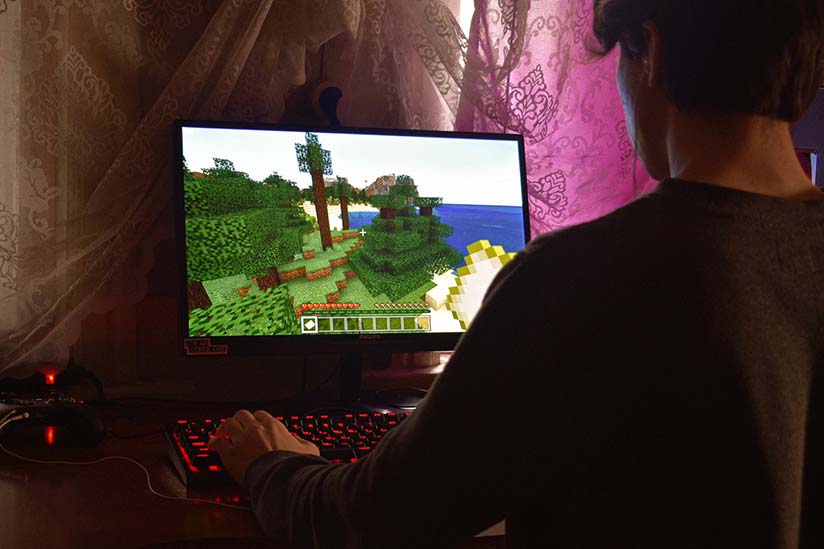
Understanding Minecraft’s Popularity and Gameplay
Since its inception in 2009, Minecraft has rapidly ascended to become one of the most popular games worldwide. Its success is largely attributed to organic growth through word-of-mouth, rather than a massive marketing budget. This unique approach has resulted in Minecraft becoming a staple not only in recreational gaming but also in educational environments, where it is used as a tool for teaching various subjects.
This article is part of Rackset’s Server guides — browse the rest of the category for more in-depth tutorials on this topic.
The Appeal of Minecraft
The game’s allure lies in its sandbox nature, allowing players to create and explore their own virtual worlds. Players utilize building blocks and resources found within the game to craft structures, tools, and other items, fostering creativity and problem-solving skills. This open-ended gameplay is a significant factor in its widespread popularity, particularly among younger audiences.
Cross-Platform Availability
Minecraft’s accessibility across multiple platforms contributes significantly to its popularity. It is available on:
- Smartphones
- Computer tablets
- Raspberry Pi
- Xbox
- Nintendo Wii
- PlayStation
This versatility means that players can enjoy the game regardless of their preferred gaming device, further broadening its reach and appeal.
Educational Impact
Beyond entertainment, Minecraft has found a place in educational settings. Teachers leverage the game’s mechanics to teach subjects such as mathematics, history, and even computer programming. Its interactive nature makes learning engaging, and its collaborative environment encourages teamwork and communication among students.
Why Is Minecraft So Popular?
Minecraft’s popularity can be attributed to several factors:
- Creativity and Freedom: The game offers an unparalleled level of creative freedom, allowing players to build and explore at their own pace.
- Community and Collaboration: With a vast online community, players can share their creations and collaborate with others, enhancing the social aspect of the game.
- Regular Updates: The developers frequently release updates and new content, keeping the game fresh and engaging.
These elements combine to create a game that is not only enjoyable but also educational and socially enriching, ensuring its continued popularity across the globe.
Key Features of Minecraft Server Hosting
Running a Minecraft server requires careful consideration of several key features to ensure optimal performance and a seamless gaming experience. Below are the essential elements to keep in mind when selecting a hosting solution for your Minecraft server.
Performance and Scalability
- CPU: Minecraft is CPU-intensive, especially when running mods or handling many players. Look for servers with high clock speeds and multiple cores.
- RAM: Adequate RAM is crucial for smooth gameplay. A minimum of 4GB is recommended for a small server, while larger servers with mods may require 8GB or more.
- Storage: SSDs are preferred over HDDs for faster data retrieval and improved performance.
- Network Bandwidth: Ensure sufficient bandwidth to accommodate player traffic and avoid lag.
Customization and Control
Customization is a hallmark of Minecraft, and your server hosting should allow for extensive configuration options:
- Root Access: Full root access enables you to install mods, plugins, and custom scripts.
- Control Panel: A user-friendly control panel like Multicraft or Pterodactyl makes server management easier.
- Plugin Support: Ensure the host supports popular plugins and mods for enhanced gameplay.
Security and Reliability
Security is paramount for any online server. Consider the following features:
- DDoS Protection: Protect your server from malicious attacks to maintain uptime and performance.
- Backups: Regular automated backups safeguard your data against loss.
- Uptime Guarantee: Look for hosts that offer at least a 99.9% uptime guarantee to ensure your server is always accessible.
Support and Community
Quality support can make a significant difference in your server hosting experience:
- Technical Support: 24/7 support ensures assistance is available whenever needed.
- Community Forums: Access to community forums can provide valuable insights and troubleshooting tips.
Cost Considerations
Finally, balance your budget with the features offered:
Read more: Server Hardware Maintenance and Ensuring Reliable Performance: A Professional Guide
If you need this service, Rackset’s team provides professional Minecraft server with full support so you can rely on the quality and get set up quickly.
- Pricing Plans: Compare different hosting plans to find one that fits your needs and budget.
- Trial Period: A trial period or money-back guarantee allows you to test the service without commitment.
Minimum Hardware Requirements for Minecraft Servers
Running a Minecraft server requires careful consideration of hardware specifications to ensure a smooth and enjoyable gaming experience. Whether you’re hosting a server for a small group of friends or a larger community, meeting the minimum hardware requirements is essential to avoid lag and ensure optimal performance.
Basic Requirements
The minimum hardware requirements for a Minecraft server depend on the number of players and the complexity of the game world. Below are the baseline requirements for running a small server with up to 10 players:
- CPU: Intel Core i3-3210 or AMD A8-7600 APU
- RAM: 4GB
- Storage: At least 1GB of free SSD space
- Network: A broadband internet connection with at least 1Mbps upload speed
- Operating System: Windows 7 or later, macOS 10.12 or later, or a recent Linux distribution
Recommended Hardware for Improved Performance
For a better experience, especially if you plan to host more players or use mods, consider the following recommended hardware specifications:
- CPU: Intel Core i5-4690 or AMD Ryzen 5 1600
- RAM: 8GB or more
- Storage: 5GB of free SSD space for the server and additional space for backups
- Network: A broadband internet connection with at least 5Mbps upload speed
Additional Considerations
When setting up a Minecraft server, it’s important to consider additional factors such as:
- Server Location: Choose a location close to your player base to reduce latency.
- Backups: Regularly back up your server data to prevent data loss.
- Security: Implement security measures to protect against unauthorized access and attacks.
By adhering to these minimum hardware requirements and considering the recommended specifications, you can ensure a stable and enjoyable Minecraft server experience for all players involved.
Choosing Between Renting and Buying a Minecraft Server
When considering hosting a Minecraft server, one of the first decisions to make is whether to rent a server or purchase your own hardware. Both options have their advantages and disadvantages, and the best choice depends on your specific needs, budget, and technical expertise.
Renting a Minecraft Server
Renting a Minecraft server is a popular choice for many players due to its convenience and lower initial cost. Here are some benefits and considerations:
- Ease of Setup: Renting a server typically involves a straightforward setup process. Hosting providers often offer one-click installations and pre-configured servers, making it easy for beginners to get started.
- Maintenance and Support: With a rented server, the hosting provider handles hardware maintenance, software updates, and security patches. This can be a significant advantage for those who lack technical expertise or time.
- Scalability: Renting allows for easy scalability. As your player base grows, you can upgrade your plan to accommodate more players and resources.
- Monthly Costs: While renting requires a monthly fee, it eliminates the upfront cost of purchasing hardware. Prices vary based on server specifications and the number of players.
Buying a Minecraft Server
Purchasing your own server hardware offers a different set of advantages, particularly for those who wish to have complete control over their server environment:
- Full Control: Owning your server means you have full control over hardware and software configurations. This is ideal for advanced users who want to customize their server settings extensively.
- Long-term Savings: While the initial investment is higher, owning a server can be more cost-effective in the long run, especially for those planning to host a server for an extended period.
- Performance: With your own hardware, you can optimize performance to meet your specific needs, potentially achieving better performance than a rented server at the same cost level.
- Technical Expertise Required: Managing your own server requires technical knowledge for setup, maintenance, and troubleshooting. This can be a barrier for those without IT skills.
Conclusion
Ultimately, the decision between renting and buying a Minecraft server depends on your priorities. If you value convenience and support, renting might be the best option. However, if you seek complete control and potential long-term savings, investing in your own server hardware could be more beneficial. Consider your budget, technical skills, and long-term plans before making a decision.
Operating System Considerations for Minecraft Hosting
Choosing the right operating system (OS) for your Minecraft server is crucial to ensure optimal performance, reliability, and ease of management. Each operating system has its pros and cons, and the decision largely depends on your specific needs, technical expertise, and budget.
Popular Operating Systems for Minecraft Servers
- Linux: Linux is the most popular choice for Minecraft servers due to its stability, performance, and cost-effectiveness. It is open-source and free to use, making it an excellent option for budget-conscious users. Linux distributions such as Ubuntu, Debian, and CentOS are commonly used for hosting Minecraft servers. They offer robust security features and are highly customizable.
- Windows: Windows Server is another viable option, especially for users who are more comfortable with a GUI-based interface. It provides a seamless experience for those already familiar with Windows environments. However, it can be more resource-intensive and typically involves licensing costs.
- macOS: While not as commonly used for server hosting, macOS can also run a Minecraft server. It is user-friendly and integrates well with other Apple products. However, it may not be as efficient or cost-effective as Linux or Windows for larger-scale operations.
Comparison of Operating Systems
| Operating System | Pros | Cons |
|---|---|---|
| Linux | Free, stable, secure, highly customizable | Requires command-line knowledge |
| Windows | GUI-based, familiar interface for Windows users | Costly, more resource-intensive |
| macOS | User-friendly, good integration with Apple products | Less efficient for large-scale hosting, higher cost |
Additional Considerations
When selecting an operating system, consider the following factors:
- Technical Expertise: If you are comfortable with command-line interfaces and server management, Linux might be the best choice. For those preferring a more visual interface, Windows could be more suitable.
- Budget: Linux is free, while Windows and macOS may involve licensing fees. Consider your budget when making a decision.
- Server Size and Scale: For larger servers, the efficiency and performance of Linux can be advantageous. Smaller, personal servers might not require the same level of optimization.
Ultimately, the choice of operating system will influence your server’s performance and your ease of management, so weigh your options carefully based on your specific needs and resources.
Read more: Virtual Servers vs Dedicated Physical Server: Key Differences and How to Choose for Business
For projects that need guaranteed resources and full root control, a VPS is the right step up from shared hosting. With VPS hosting you get dedicated CPU/RAM, NVMe storage, a dedicated IP and high uptime, deployed in minutes.
Balancing Performance and Cost in Minecraft Server Setup
Setting up a Minecraft server requires finding the right balance between performance and cost. Given the game’s popularity, particularly among younger audiences, it’s essential to ensure smooth gameplay while keeping expenses manageable. Here’s how you can achieve this balance effectively:
Understanding Server Requirements
Before diving into the specifics of server specifications, it’s crucial to understand the basic requirements for running a Minecraft server:
- CPU: Minecraft is CPU-intensive, so a strong processor is vital. Aim for a modern multi-core processor.
- RAM: For a small server (up to 10 players), at least 2GB of RAM is recommended. Larger servers with more players or mods will require more memory.
- Storage: SSDs provide faster data access times, enhancing server performance.
- Bandwidth: A stable internet connection with sufficient upload speed is necessary to handle player connections.
Optimizing Costs
To manage costs effectively, consider the following strategies:
Choose the Right Hosting Plan
Evaluate different hosting options based on your needs:
- Shared Hosting: Cost-effective for small servers but may suffer from performance issues during peak times.
- VPS: Offers better performance and control, suitable for medium-sized servers.
- Dedicated Servers: Ideal for large servers with high player counts, though more expensive.
Scale Resources Wisely
Start with a basic setup and scale up as needed. Monitor server performance and player count to determine when to upgrade resources.
Recommended Server Specifications
Here’s a quick reference table for recommended server specifications based on player count:
| Player Count | CPU | RAM | Storage |
|---|---|---|---|
| 1-10 | Dual-core | 2GB | 20GB SSD |
| 10-50 | Quad-core | 4-8GB | 40GB SSD |
| 50+ | Hexa-core or better | 16GB+ | 100GB SSD |
By carefully selecting your server setup and monitoring performance, you can ensure a smooth and enjoyable Minecraft experience without overspending.
Networking and Bandwidth Needs for Smooth Gameplay
To ensure a seamless Minecraft experience, understanding the networking and bandwidth requirements is crucial. Minecraft, being a sandbox game, involves significant data exchange between the server and players. Here’s what you need to know to optimize networking for smooth gameplay.
Bandwidth Requirements
Bandwidth is the amount of data that can be transmitted over your internet connection in a given time. For Minecraft servers, bandwidth is essential for handling player connections and data exchanges. The following table outlines the approximate bandwidth requirements based on the number of players:
| Number of Players | Upload Bandwidth | Download Bandwidth |
|---|---|---|
| 1-5 | 1 Mbps | 1 Mbps |
| 6-10 | 2-3 Mbps | 2-3 Mbps |
| 11-20 | 4-6 Mbps | 4-6 Mbps |
| 21-50 | 10 Mbps | 10 Mbps |
| 51-100 | 15-20 Mbps | 15-20 Mbps |
Network Latency
Latency, or ping, is the time it takes for data to travel from the player’s device to the server and back. Low latency is crucial for real-time interactions in Minecraft. Aim for a latency of less than 100ms for optimal gameplay. Here are some tips to reduce latency:
- Choose a server location closer to your player base.
- Use wired connections instead of Wi-Fi where possible.
- Optimize your network by reducing unnecessary bandwidth usage.
Network Configuration
Proper network configuration is essential for maintaining a stable connection. Consider the following configurations:
Read more: 15 Hidden Costs of Server Hosting Most Companies Overlook
- Port Forwarding: Ensure that the necessary ports are open for Minecraft to communicate. By default, Minecraft uses port
25565. - Quality of Service (QoS): Use QoS settings on your router to prioritize Minecraft traffic.
- Firewall Settings: Configure your firewall to allow Minecraft traffic while maintaining security.
By understanding and implementing these networking and bandwidth considerations, you can provide a smooth and enjoyable Minecraft experience for players, supporting the game’s growing popularity across various platforms.
For heavy workloads and maximum performance, a dedicated bare-metal server gives you an entire physical machine. Rackset’s dedicated server deliver full hardware, root access and configurable port speeds for the most demanding sites and apps.
Advanced Tips for Enhancing Minecraft Server Performance
Running a Minecraft server can be a rewarding experience, but ensuring optimal performance requires some advanced strategies. Here are some tips to help you enhance your server’s performance and provide a seamless gaming experience for your users.
Optimize Java Settings
Minecraft servers run on Java, so optimizing Java settings can significantly impact performance. Allocate sufficient memory to the server by adjusting the Xms and Xmx parameters, which set the initial and maximum heap size, respectively.
-Xms2G -Xmx4GThese settings allocate a minimum of 2GB and a maximum of 4GB of RAM to the server. Adjust these values based on your server’s capacity and player count.
Use Performance-Enhancing Plugins
Plugins can help improve server performance. Consider using the following:
- Paper: A high-performance fork of the Spigot server that offers better performance and additional features.
- ClearLag: Helps reduce lag by removing excess entities and optimizing server operations.
- View Distance Tweaks: Dynamically adjusts view distance based on server performance.
Optimize Server Configuration
Adjusting the server configuration files can also enhance performance. Here are some key settings to consider:
- Reduce the view distance in the
server.propertiesfile to decrease the number of chunks loaded. - Limit the number of entities by adjusting the
spawn-limitsin thebukkit.ymlfile. - Optimize the
ticks-persettings inspigot.ymlto balance performance and gameplay experience.
Regularly Update Server Software
Ensure your server software is up-to-date. Updates often include performance improvements and bug fixes that can enhance server stability and speed.
Monitor and Manage Resources
Use server monitoring tools to keep an eye on resource usage. Tools like htop or Glances can help you monitor CPU and memory usage in real-time, allowing you to make informed decisions about resource allocation.
Invest in Quality Hardware
If your server consistently struggles with performance, consider upgrading your hardware. A faster CPU, additional RAM, and SSD storage can provide significant improvements in server responsiveness and player experience.
By implementing these advanced tips, you can ensure that your Minecraft server runs smoothly, providing an enjoyable experience for all players.
Power Up Your Minecraft World
Unlock seamless gameplay with Rackset’s optimized Minecraft server solutions. Experience unmatched performance tailored for your block-building adventures.
Build your perfect server today!
Conclusion
Choosing the right server specifications for your Minecraft server is crucial to ensuring smooth gameplay, minimal lag, and a satisfying experience for all players. By understanding the demands of the game and the number of players you intend to host, you can make informed decisions about CPU power, RAM, storage, and network capabilities. Whether you’re running a small private server for friends or a large public server, balancing these elements will help you maintain optimal performance and keep your players engaged.
As you plan your server setup, consider starting with a modest configuration and scaling up as your community grows. This approach allows you to manage costs effectively while still providing a reliable gaming environment. If you’re ready to set up your Minecraft server, Rackset offers a range of hosting solutions tailored to meet your needs, ensuring that you have the flexibility and support necessary to create the ultimate gaming experience. Explore our hosting plans today and take the first step towards building your Minecraft world.
Frequently Asked Questions
What are the minimum server specifications for a Minecraft server?
For a basic Minecraft server, you’ll need at least 1 GB of RAM, a dual-core CPU, and 10 GB of SSD storage. This setup can handle a small group of players, usually around 5-10, with minimal plugins or mods.
How much RAM is recommended for a Minecraft server with mods?
For a modded Minecraft server, it is recommended to have at least 4 GB of RAM. This will ensure smooth performance and accommodate multiple mods and plugins, as well as a moderate number of players.
What type of CPU is best for hosting a Minecraft server?
A server hosting Minecraft benefits from a high clock speed CPU with strong single-thread performance. Intel i5 or Ryzen 5 processors are typically sufficient for most servers, but more demanding setups may require i7 or Ryzen 7.
Is SSD storage necessary for a Minecraft server?
Using SSD storage is highly recommended for a Minecraft server. SSDs offer faster read/write speeds compared to HDDs, which can significantly improve server performance, reduce lag, and provide quicker world loading times.
How does internet bandwidth affect a Minecraft server?
Internet bandwidth is crucial for a Minecraft server, especially for handling multiple players. A minimum upload speed of 5 Mbps is recommended for a small server, but higher speeds are needed as the number of players increases.

Behzad Nategh is the Founder and CEO of Rackset, with 20+ years in web hosting, cloud infrastructure, and web design. He writes on hosting, domains, security, and growing an online business.
Leave a Reply