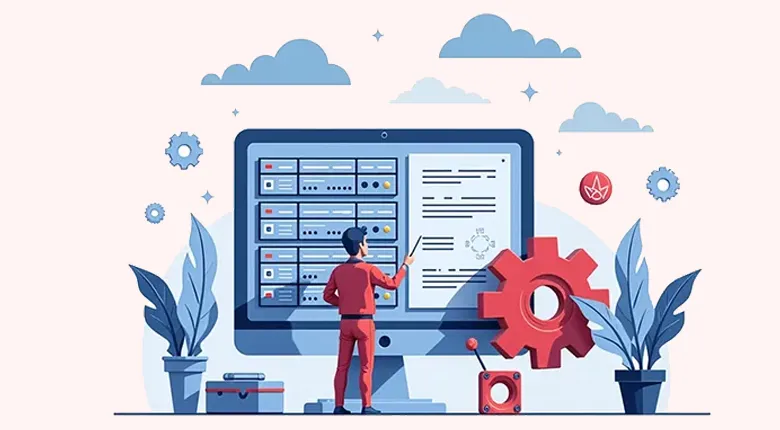
Understanding Server Hardware Maintenance
In today’s fast-moving digital landscape, maintaining a reliable server infrastructure is more than just a technical asset—it’s the lifeblood of business operations. Whether you’re running an eCommerce platform, a SaaS solution, or an enterprise application, servers are the foundation that keeps everything running smoothly. Yet, maintaining server performance isn’t as simple as setting up hardware and walking away. It requires a proactive, comprehensive, and disciplined approach to ongoing maintenance.
This article is part of Rackset’s Server guides — browse the rest of the category for more in-depth tutorials on this topic.
The Importance of Proactive Maintenance
Modern businesses face increasing demands: high-traffic loads, global users, security compliance, and zero tolerance for downtime. The consequences of hardware failure or degraded performance can be severe—lost revenue, damaged reputation, regulatory risks, and poor customer experiences. Proactive maintenance is crucial to prevent these issues and ensure continuous operation.
Key Aspects of Server Hardware Maintenance
- Preventive Measures: Regularly scheduled inspections and updates are essential to identify potential issues before they become critical problems.
- Optimization: Ensure optimal airflow and temperature control to prevent overheating, which can lead to hardware failure.
- Monitoring: Use monitoring tools to keep an eye on component health, such as CPU usage, disk space, and memory utilization.
- Component Replacement: Replace aging parts before they fail to maintain peak performance and avoid unexpected downtimes.
- Infrastructure Alignment: Regularly assess and align your infrastructure with changing business needs and technological advancements.
Benefits of Effective Maintenance
Effective server hardware maintenance offers numerous benefits:
- Increased Uptime: Minimize downtime and ensure that your services remain available to users.
- Cost Efficiency: Prevent costly repairs and replacements by addressing issues early.
- Enhanced Security: Regular updates and maintenance help mitigate security vulnerabilities.
- Improved Performance: Keep your servers running efficiently to provide a better user experience.
Conclusion
Server hardware maintenance is not simply about reacting to problems. It’s about prevention, optimization, and planning. By embracing these practices, organizations can maintain high-performing, reliable server infrastructures that support their business operations effectively.
Importance of Regular Maintenance for Business Continuity
In today’s fast-moving digital landscape, a reliable server infrastructure is more than just a technical asset—it’s the lifeblood of business operations. Whether you’re running an eCommerce platform, a SaaS solution, or an enterprise application, servers are the foundation that keeps everything running smoothly. Yet, maintaining server performance isn’t as simple as setting up hardware and walking away. It requires a proactive, comprehensive, and disciplined approach to ongoing maintenance.
Preventing Downtime and Ensuring Reliability
Modern businesses face increasing demands, including high-traffic loads, global users, security compliance, and zero tolerance for downtime. Regular maintenance is crucial to prevent hardware failures and ensure continuous operation. The consequences of hardware failure or degraded performance can be severe, leading to:
- Lost revenue
- Damaged reputation
- Regulatory risks
- Poor customer experiences
Proactive Maintenance: Beyond Problem Reaction
Server maintenance is not simply about reacting to problems. It’s about prevention, optimization, and planning. Regular maintenance tasks that contribute to business continuity include:
- Ensuring Optimal Airflow: Proper cooling prevents overheating and extends the lifespan of server components.
- Monitoring Component Health: Regular checks on CPU, RAM, and storage health help identify potential issues before they cause failures.
- Replacing Aging Parts: Proactively replacing components nearing the end of their lifecycle reduces the risk of unexpected downtime.
- Aligning Infrastructure with Business Needs: Adjusting server capacity and configurations to meet evolving demands ensures continued efficiency and performance.
Conclusion
In conclusion, regular server hardware maintenance is essential for ensuring business continuity. By adopting a proactive maintenance strategy, organizations can prevent costly disruptions, optimize performance, and align their infrastructure with changing business needs. Through this guide, we’ll explain what server hardware maintenance entails and why it’s critical for sustaining a resilient and responsive IT environment.
Key Components Requiring Regular Maintenance
Ensuring the reliability and performance of your server infrastructure involves regular maintenance of several critical components. Each component plays a vital role in maintaining the overall health and efficiency of your servers. Below, we detail the key components that require regular attention:
1. Central Processing Unit (CPU)
The CPU is the brain of your server, handling all processing tasks. Regular maintenance involves:
If you need this service, Rackset’s team provides professional server management with full support so you can rely on the quality and get set up quickly.
Read more: Comparing Virtual and Dedicated Servers for Businesses
- Monitoring CPU temperature to prevent overheating.
- Checking for dust accumulation and ensuring proper cooling.
- Updating firmware to enhance performance and security.
2. Memory (RAM)
RAM is crucial for the server’s ability to handle multiple tasks simultaneously. Maintenance tasks include:
- Running memory diagnostics to check for errors or failures.
- Ensuring RAM modules are properly seated and free from dust.
- Upgrading RAM as needed to meet increased application demands.
3. Storage Drives
Storage drives store your data and applications. Regular maintenance is essential to prevent data loss:
- Monitoring drive health using SMART tools.
- Defragmenting hard drives to optimize performance.
- Replacing drives that show signs of failure or are nearing end-of-life.
4. Power Supply Units (PSUs)
PSUs provide the necessary power to all server components. Key maintenance tasks include:
- Checking for dust and debris that could impede airflow.
- Testing power output to ensure stability and reliability.
- Replacing aging PSUs to prevent unexpected power failures.
5. Cooling Systems
Effective cooling is critical to prevent overheating and maintain server performance:
- Cleaning air filters and fans to ensure efficient airflow.
- Monitoring temperature sensors to detect abnormal heat levels.
- Replacing faulty fans or heat sinks promptly.
6. Network Interface Cards (NICs)
NICs facilitate communication between your server and the network. Regular checks include:
- Updating drivers to ensure compatibility and performance.
- Testing connectivity and throughput to identify potential issues.
- Inspecting cables and connections for wear or damage.
By focusing on these key components, businesses can ensure their server infrastructure remains robust, reliable, and capable of supporting their operations in a fast-moving digital landscape.
Preventative Measures and Best Practices
In the fast-moving digital landscape, maintaining a reliable server infrastructure is more than just a technical asset—it’s the lifeblood of business operations. To prevent server hardware failures and ensure optimal performance, a proactive approach to maintenance is essential. Here are some preventative measures and best practices to consider:
Regular Monitoring and Diagnostics
- Automated Monitoring Tools: Utilize automated tools to continuously monitor server performance metrics such as CPU usage, memory load, and disk space. This helps identify potential issues before they escalate.
- Health Checks: Conduct regular health checks on server components like hard drives, power supplies, and network interfaces. Look for signs of wear and tear or failure.
Environmental Controls
- Optimal Airflow: Ensure that server racks are organized to allow for proper airflow. Avoid blocking air vents and maintain a cool, dust-free environment.
- Temperature and Humidity Monitoring: Use sensors to track the temperature and humidity levels in your server room. Maintain conditions within recommended ranges to prevent overheating and moisture-related issues.
Scheduled Maintenance and Updates
- Firmware and Software Updates: Regularly update server firmware and software to patch security vulnerabilities and improve performance.
- Hardware Inspections: Schedule routine inspections to check for signs of physical damage or aging components that may need replacing.
Data Backup and Recovery
- Regular Backups: Implement a robust backup strategy that includes regular backups of critical data to prevent data loss in case of hardware failure.
- Disaster Recovery Plan: Develop and test a disaster recovery plan to ensure business continuity in the event of a major hardware failure.
Documentation and Training
- Comprehensive Documentation: Maintain detailed documentation of server configurations, maintenance schedules, and troubleshooting procedures.
- Staff Training: Ensure that IT staff are adequately trained in server maintenance protocols and emergency procedures.
By implementing these preventative measures and best practices, businesses can significantly reduce the risk of server downtime and ensure that their infrastructure remains aligned with changing business needs.
Physical vs. Virtual Server Maintenance
In the fast-moving digital landscape, maintaining a reliable server infrastructure is crucial for business operations. Whether you utilize physical servers or virtual servers, each requires a unique approach to maintenance to ensure optimal performance and prevent downtime. Understanding the differences between physical and virtual server maintenance can help you tailor your strategies effectively.
Physical Server Maintenance
Physical servers are tangible hardware that requires hands-on management and maintenance. The maintenance tasks for physical servers include:
Read more: Unveiling Hidden Costs in Server Management
- Regular Hardware Inspections: Conduct routine checks on server components such as CPUs, RAM, hard drives, and power supplies to identify signs of wear or potential failure.
- Environmental Controls: Ensure optimal server room conditions by monitoring temperature, humidity, and airflow to prevent overheating and component degradation.
- Firmware and Driver Updates: Keep server firmware and drivers up to date to ensure compatibility and security.
- Backup Power Solutions: Implement uninterruptible power supplies (UPS) to protect against power failures and surges.
- Physical Security: Secure server access with locks, surveillance, and controlled entry to prevent unauthorized access and tampering.
Virtual Server Maintenance
Virtual servers, or virtual machines (VMs), operate within a hypervisor on physical hardware, offering flexibility and scalability. Maintenance for virtual servers includes:
For heavy workloads and maximum performance, a dedicated bare-metal server gives you an entire physical machine. Rackset’s dedicated server deliver full hardware, root access and configurable port speeds for the most demanding sites and apps.
- Resource Allocation: Monitor and adjust CPU, memory, and storage resources to ensure optimal performance and avoid over-provisioning.
- Snapshot and Backup Management: Regularly create snapshots and backups of VMs to facilitate quick recovery in case of data loss or corruption.
- Software Updates: Keep the hypervisor and guest operating systems updated to protect against vulnerabilities and improve performance.
- Performance Monitoring: Use monitoring tools to track VM performance metrics and identify bottlenecks or resource contention.
- Network Configuration: Ensure proper network settings and security measures are in place to safeguard virtual environments.
Key Differences
| Aspect | Physical Servers | Virtual Servers |
|---|---|---|
| Hardware Management | Requires direct handling and maintenance of physical components. | Managed through a hypervisor; physical hardware is abstracted. |
| Scalability | Limited by physical hardware capacity. | Highly scalable, allowing for rapid resource adjustments. |
| Security | Focuses on physical access and environmental controls. | Emphasizes virtual network security and access control. |
By understanding these distinctions, businesses can implement a comprehensive maintenance strategy that caters to the specific needs of their server infrastructure, ensuring reliability and performance in a competitive digital environment.
Role of Professional Server Management Services
In the fast-moving digital landscape, where a reliable server infrastructure is the lifeblood of business operations, professional server management services play a pivotal role. These services go beyond mere troubleshooting; they provide a comprehensive approach to maintaining server performance, ensuring that your business can handle high-traffic loads, meet global user demands, and adhere to stringent security compliance without sacrificing uptime.
Key Benefits of Professional Server Management
- Proactive Monitoring: Continuous monitoring of server health and performance metrics to identify potential issues before they escalate into critical problems.
- Security Management: Implementation of robust security protocols to protect against cyber threats and ensure compliance with industry standards.
- Performance Optimization: Regular tuning and adjustments to server configurations to maximize efficiency and speed.
- Hardware Maintenance: Scheduled inspections and timely replacement of aging components to prevent unexpected failures.
- Scalability Planning: Assistance in aligning server infrastructure with evolving business needs to accommodate growth and technological advancements.
Why Choose Professional Services?
Engaging professional server management services ensures that your organization can focus on core business activities while experts handle the technical intricacies of server maintenance. This partnership offers:
- Expertise: Access to a team of skilled professionals with extensive knowledge and experience in server management.
- Cost Efficiency: Avoidance of costly downtime and emergency repairs through preventative measures and optimized performance.
- Peace of Mind: Assurance that your server infrastructure is in capable hands, allowing you to concentrate on strategic initiatives.
Conclusion
In an era where server performance is integral to business success, leveraging professional server management services is not just a luxury—it’s a necessity. By entrusting your server maintenance to experts, you can ensure that your infrastructure remains robust, secure, and capable of supporting your business objectives effectively.
Monitoring and Performance Optimization Techniques
In the fast-moving digital landscape, maintaining a reliable server infrastructure is crucial for business operations. To ensure servers function optimally, continuous monitoring and performance optimization are essential. These practices not only help prevent potential issues but also enhance the overall efficiency and reliability of your server setup.
Key Monitoring Tools and Metrics
Effective server monitoring involves tracking various performance metrics and using the right tools to gain insights into server health. Here are some critical metrics and tools:
- CPU Usage: Monitor CPU load to ensure it remains within optimal limits. Tools like top or htop can provide real-time data.
- Memory Utilization: Keep an eye on RAM usage to prevent bottlenecks. Use commands like
free -mto check memory status. - Disk I/O: High disk input/output can indicate performance issues. Tools like iostat can help monitor disk activity.
- Network Traffic: Ensure network interfaces are not overloaded. iftop or nload are useful for real-time network monitoring.
Performance Optimization Strategies
Once you have a clear understanding of server performance through monitoring, implementing optimization techniques is the next step. Consider the following strategies:
Regular Updates and Patches
Ensure that all server software and firmware are up-to-date. Regular updates can fix bugs, improve security, and enhance performance.
Load Balancing
Distribute traffic across multiple servers to prevent any single server from becoming a bottleneck. This improves response times and increases redundancy.
Read more: Understanding Dedicated Server Hosting in the USA
Resource Allocation
Optimize resource allocation by adjusting server configurations based on current demands. Use virtualization technologies to dynamically allocate resources where needed.
For projects that need guaranteed resources and full root control, a VPS is the right step up from shared hosting. With VPS hosting you get dedicated CPU/RAM, NVMe storage, a dedicated IP and high uptime, deployed in minutes.
Hardware Upgrades
Replace aging components with newer, more efficient hardware. Upgrading RAM, SSDs, or CPUs can significantly boost performance.
Automating Monitoring and Alerts
Automation plays a crucial role in modern server maintenance. Set up automated alerts for critical metrics to receive notifications about potential issues before they escalate. Tools like Prometheus or Grafana can help automate monitoring and provide detailed visualizations.
By integrating these monitoring and optimization techniques, businesses can ensure their server infrastructure remains a robust and reliable backbone for their operations, ultimately leading to improved performance, security, and user satisfaction.
Regulatory Compliance and Documentation Requirements
In the fast-moving digital landscape, maintaining a reliable server infrastructure is crucial not only for operational efficiency but also for meeting regulatory compliance standards. Compliance with regulatory requirements ensures that your server operations align with legal and industry standards, reducing the risk of penalties and enhancing trust with clients and stakeholders.
Understanding Regulatory Compliance
Regulatory compliance in server hardware maintenance involves adhering to laws, guidelines, and specifications relevant to your industry. These regulations might include data protection laws, industry-specific standards, and environmental regulations. Key regulatory frameworks include:
- GDPR (General Data Protection Regulation): Applies to organizations handling data of EU citizens, emphasizing data protection and privacy.
- HIPAA (Health Insurance Portability and Accountability Act): Relevant to healthcare organizations, focusing on the protection of patient information.
- Sarbanes-Oxley Act: Affects public companies, requiring stringent record-keeping and data integrity practices.
- ISO/IEC 27001: An international standard for information security management systems, applicable across various industries.
Documentation Requirements
Comprehensive documentation is essential for demonstrating compliance and facilitating audits. Proper documentation includes:
- Hardware Inventory: Maintain an up-to-date inventory of all server hardware components, including serial numbers and purchase dates.
- Maintenance Logs: Document all maintenance activities, including inspections, repairs, and replacements, with dates and responsible personnel.
- Configuration Records: Keep detailed records of server configurations, including network settings, firmware versions, and software installations.
- Incident Reports: Record any hardware failures, security breaches, or performance issues, along with resolutions and preventive measures taken.
Best Practices for Compliance and Documentation
- Regularly review and update compliance policies to reflect changes in regulations and business operations.
- Implement automated tools for monitoring and logging server performance and compliance metrics.
- Conduct regular training for IT staff on compliance requirements and documentation practices.
- Schedule periodic audits to ensure adherence to compliance standards and to identify areas for improvement.
By prioritizing regulatory compliance and maintaining thorough documentation, businesses can safeguard their server infrastructure, mitigate risks, and ensure smooth, uninterrupted operations.
Keep Your Servers Running Smoothly
In the world of server hardware maintenance, efficiency and reliability are key. With Rackset’s expert server management, ensure your hardware performs optimally, reducing downtime and extending lifespan.
Optimize your server’s potential today!
Conclusion
Maintaining server hardware is a crucial aspect of ensuring the reliability, performance, and longevity of your IT infrastructure. By implementing regular maintenance schedules, monitoring system performance, and staying proactive with updates and security patches, businesses can minimize downtime and extend the life of their equipment. Regular cleaning, proper ventilation, and temperature control are also key practices that help prevent hardware failures and ensure optimal functionality.
As you prioritize server hardware maintenance, consider leveraging Rackset’s comprehensive hosting solutions to further enhance your IT operations. Our expert support and robust infrastructure can help you achieve greater efficiency and reliability. Visit our website to explore our offerings and find the perfect solution for your business needs.
Frequently Asked Questions
What is server hardware maintenance?
Server hardware maintenance involves regular inspection, cleaning, and updating of server components to ensure optimal performance and prevent failures. It includes tasks such as checking hardware for wear and tear, updating firmware, and replacing faulty parts.
How often should server hardware be inspected?
Server hardware should be inspected at least once every three to six months. Regular inspections help identify potential issues early, reducing the risk of unexpected downtime and extending the lifespan of the hardware.
What are common signs that server hardware needs maintenance?
Common signs include unusual noises, frequent crashes, overheating, and slower performance. These symptoms can indicate hardware degradation or failure, necessitating immediate attention to prevent data loss or service interruptions.
How can I ensure the longevity of my server hardware?
Ensure longevity by maintaining a clean environment, using surge protectors, regularly updating firmware, and replacing components before they fail. Proper ventilation and cooling are also crucial to prevent overheating and extend hardware life.
What tools are essential for server hardware maintenance?
Essential tools include anti-static wrist straps, screwdrivers, thermal paste, and diagnostic software. These tools help safely perform maintenance tasks like component replacement, thermal management, and system diagnostics.

Behzad Nategh is the Founder and CEO of Rackset, with 20+ years in web hosting, cloud infrastructure, and web design. He writes on hosting, domains, security, and growing an online business.
Leave a Reply