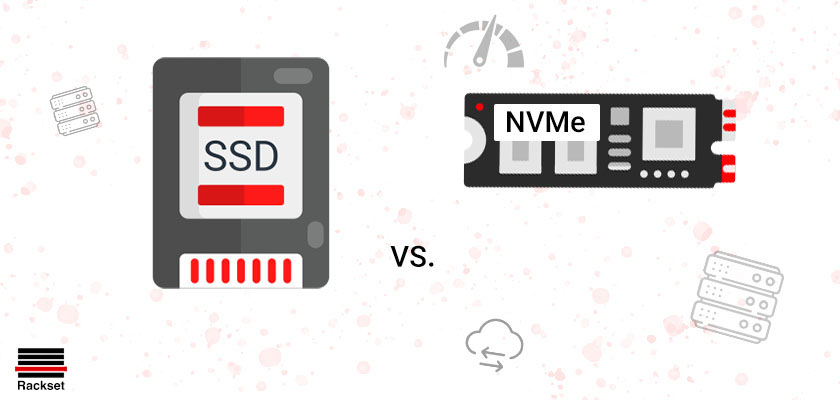
Introduction to VPS Storage Technologies
If you are looking for the best option for web-based projects or applications, you’ll find a variety of VPS hosting choices. Whether you’re an eCommerce store owner, a web designer, or a seasoned blogger, the success of your website project largely depends on the storage technology used by the hosting server.
This article is part of Rackset’s Hosting guides — browse the rest of the category for more in-depth tutorials on this topic.
The type of storage utilized by your VPS significantly influences the user’s perception of speed and performance. This is because storage technology is evolving rapidly to provide robust, efficient, fast, and reliable web hosting. In this article, we’ll examine the differences between NVMe and SSD server VPS hosting. Both are solid-state technologies, but the differences between them can lead to very different outcomes.
Understanding VPS Storage Options
When it comes to VPS hosting, two primary storage technologies dominate the landscape: SSD (Solid State Drive) and NVMe (Non-Volatile Memory Express). Both technologies offer significant advantages over traditional hard disk drives (HDDs), but they differ in terms of performance, cost, and scalability.
SSD Storage
SSD storage has been a game-changer in the web hosting industry. Unlike traditional HDDs that use spinning disks, SSDs use flash memory to store data, allowing for faster data retrieval and improved reliability. Here are some key benefits of SSD storage:
- Speed: SSDs provide faster read/write speeds compared to HDDs, resulting in quicker data access and improved website performance.
- Durability: With no moving parts, SSDs are less prone to mechanical failure, offering greater reliability and longevity.
- Energy Efficiency: SSDs consume less power than traditional HDDs, making them a more environmentally friendly option.
NVMe Storage
NVMe is a more recent advancement in storage technology. It is a protocol designed specifically for SSDs, leveraging the PCIe (Peripheral Component Interconnect Express) interface to deliver even higher speeds and lower latency. Key features of NVMe storage include:
- Exceptional Performance: NVMe drives can achieve significantly higher data transfer rates compared to traditional SSDs, making them ideal for high-performance applications.
- Scalability: NVMe supports a large number of parallel command queues, enhancing the ability to handle multiple requests simultaneously.
- Reduced Latency: The direct connection to the CPU via PCIe reduces latency, improving response times for data-intensive tasks.
In conclusion, both SSD and NVMe offer substantial improvements over traditional storage solutions, but NVMe takes performance to the next level, particularly for demanding applications. Choosing between these technologies depends on your specific needs and budget constraints.
Understanding NVMe Technology
NVMe, which stands for Non-Volatile Memory Express, represents a significant advancement in storage technology, particularly for Virtual Private Server (VPS) hosting. As the demand for faster and more efficient web hosting grows, NVMe offers a cutting-edge solution by providing a new communication interface and protocol specifically designed to optimize the performance of solid-state drives (SSDs).
What Makes NVMe Different?
NVMe is engineered to fully exploit the high-speed potential of SSDs by leveraging the PCI Express (PCIe) bus, which offers a direct connection to the CPU. This direct path significantly reduces latency and increases data transfer rates compared to traditional interfaces like SATA, which were originally designed for slower spinning hard drives.
- Speed: NVMe drives can deliver read and write speeds that are several times faster than SATA SSDs, making them ideal for applications that require rapid data access.
- Efficiency: With a streamlined command set, NVMe reduces the overhead associated with data transfer, improving the efficiency of data handling and processing.
- Concurrency: NVMe supports multiple queues and commands, allowing for parallel processing and better utilization of multi-core processors.
Technical Advantages of NVMe
| Feature | NVMe | SATA SSD |
|---|---|---|
| Interface | PCIe | SATA |
| Max Queues | 64,000 | 1 |
| Commands per Queue | 64,000 | 32 |
| Latency | Low | Higher |
Why Choose NVMe for VPS Hosting?
If your web-based projects demand high performance, NVMe technology offers unparalleled speed and efficiency, leading to faster load times and a better user experience. Whether you’re running an eCommerce site, a resource-intensive application, or a high-traffic blog, NVMe can dramatically enhance the performance and reliability of your VPS hosting.
Exploring SSD Drives and Their Limitations
Solid State Drives (SSDs) have revolutionized storage technology for VPS hosting by providing faster data access speeds compared to traditional Hard Disk Drives (HDDs). Unlike HDDs, which rely on spinning disks and mechanical arms, SSDs use flash memory to store data, resulting in quicker read and write times. This makes SSDs a popular choice for web-based projects that demand high performance, such as eCommerce sites, design portfolios, and blogs.
Read more: NVMe VS. SSD VS. SATA VPS Hosting
For projects that need guaranteed resources and full root control, a VPS is the right step up from shared hosting. With VPS hosting you get dedicated CPU/RAM, NVMe storage, a dedicated IP and high uptime, deployed in minutes.
Advantages of SSDs
- Speed: SSDs significantly reduce boot times and enhance application performance due to their rapid data retrieval capabilities.
- Durability: With no moving parts, SSDs are less prone to mechanical failure, offering greater reliability and a longer lifespan.
- Energy Efficiency: SSDs consume less power, making them an environmentally friendly and cost-effective option for data centers.
- Quiet Operation: Without the noise of spinning disks, SSDs operate silently, contributing to a quieter server environment.
Limitations of SSDs
Despite their numerous advantages, SSDs do have certain limitations that can impact their suitability for specific VPS hosting needs:
- Cost: SSDs are generally more expensive per gigabyte compared to traditional HDDs, which can increase the overall cost of hosting services.
- Storage Capacity: While SSDs are available in larger capacities today, they still lag behind HDDs in terms of maximum storage size, which can be a limitation for data-intensive applications.
- Write Endurance: SSDs have a finite number of write cycles, which means they can wear out over time with excessive write operations. This is particularly important for applications that require frequent data writing.
Conclusion
SSDs offer a compelling option for VPS hosting with their speed, durability, and efficiency, making them ideal for many web-based applications. However, the cost and storage limitations must be considered when choosing the appropriate storage technology for your specific needs. Understanding these factors will help you make an informed decision to ensure the success and performance of your web projects.
Performance Comparison: NVMe vs SSD
When deciding between NVMe and SSD for your VPS hosting, understanding the performance differences is crucial. Both NVMe and SSDs are solid-state technologies, but they utilize different interfaces and protocols that significantly impact their speed and efficiency.
Speed and Throughput
One of the primary performance factors is speed. NVMe drives are designed to deliver higher speed and throughput compared to traditional SSDs. This is achieved through the following:
- NVMe: Utilizes the PCIe (Peripheral Component Interconnect Express) interface, which allows for multiple lanes of data transfer. This results in significantly higher read and write speeds, often exceeding 3500 MB/s.
- SSD: Typically uses the SATA interface, which is limited to a maximum speed of around 600 MB/s. While still faster than traditional hard drives, it pales in comparison to NVMe.
Latency
Latency, or the delay before data transfer begins following an instruction, is another critical performance metric:
- NVMe: Offers lower latency due to its efficient protocol that can handle multiple input/output operations simultaneously, reducing bottlenecks.
- SSD: Experiences higher latency because the SATA interface is not optimized for high-speed data transfers and can become a bottleneck.
Input/Output Operations Per Second (IOPS)
IOPS is a measure of how many read and write operations a storage device can handle per second:
- NVMe: Capable of handling millions of IOPS due to its high-speed PCIe lanes and efficient queuing system.
- SSD: Generally handles tens of thousands of IOPS, which is adequate for many applications but not as powerful as NVMe.
Performance Summary
| Feature | NVMe | SSD |
|---|---|---|
| Interface | PCIe | SATA |
| Max Speed | > 3500 MB/s | ~ 600 MB/s |
| Latency | Low | Higher |
| IOPS | Millions | Tens of Thousands |
In conclusion, NVMe offers superior performance in terms of speed, latency, and IOPS compared to traditional SSDs. This makes NVMe an ideal choice for demanding applications and workloads that require high-speed data access and processing.
Cost Considerations for NVMe and SSD
When selecting a VPS hosting solution, understanding the cost implications of NVMe and SSD storage options is crucial. Both storage technologies offer unique benefits that can influence your choice based on budget and performance requirements.
Cost of NVMe Storage
NVMe storage is generally more expensive than traditional SSDs due to its advanced technology, which offers superior speed and efficiency. NVMe drives leverage the PCIe interface, allowing for significantly faster data transfer rates compared to SATA-based SSDs. This performance boost can be particularly beneficial for high-demand applications such as eCommerce platforms, large databases, or any web project that requires rapid data processing.
While the initial cost of NVMe storage might be higher, the investment can be justified by the enhanced user experience and reduced latency, which can lead to higher conversion rates and customer satisfaction.
Read more: What Is SSD Storage for VPS Hosting?
For heavy workloads and maximum performance, a dedicated bare-metal server gives you an entire physical machine. Rackset’s dedicated server deliver full hardware, root access and configurable port speeds for the most demanding sites and apps.
Cost of SSD Storage
SSD storage is generally more affordable than NVMe, making it an attractive option for those with tighter budgets. SSDs still provide a significant performance improvement over traditional HDDs (Hard Disk Drives), offering faster read/write speeds and greater reliability.
For many small to medium-sized websites, SSDs provide a balanced solution of cost-effectiveness and improved performance, making them a popular choice for various web-based projects.
Comparative Cost Analysis
| Storage Type | Cost | Performance | Best For |
|---|---|---|---|
| NVMe | Higher | Superior | High-demand applications |
| SSD | Lower | Good | General web projects |
Long-term Considerations
When evaluating cost, it’s essential to consider long-term benefits. NVMe’s superior performance can lead to reduced operational costs through faster data processing and improved server efficiency. This can be a critical factor for businesses that anticipate growth and increased traffic.
On the other hand, SSDs offer a reliable and cost-effective solution for those who prioritize budget over the highest performance and have less demanding storage needs.
Use Cases: When to Choose NVMe or SSD
Choosing between NVMe and SSD for VPS hosting depends on the specific needs of your web-based projects or applications. Both technologies offer solid-state storage, but their performance and cost can impact your decision. Below are scenarios where each might be the preferable choice:
When to Choose NVMe
- High-Performance Applications: If your application demands high-speed data processing, such as real-time analytics, machine learning, or scientific computations, NVMe is ideal due to its superior read/write speeds.
- Database-Intensive Workloads: Applications like large-scale databases that require quick access to large volumes of data will benefit from NVMe’s low latency.
- High Traffic Websites: For eCommerce websites or platforms with high user traffic, the faster data retrieval speeds of NVMe can improve user experience by reducing load times.
- Virtualization Environments: If you are running multiple virtual machines or containers, NVMe can provide the necessary speed to ensure smooth operations.
When to Choose SSD
- Cost-Effective Solutions: SSDs are generally more affordable than NVMe, making them a good choice for projects with budget constraints.
- Moderate Performance Needs: If your application does not require the extreme speeds of NVMe, such as a personal blog or a small business website, SSDs provide ample performance at a lower cost.
- Data Storage: For applications where data storage is more important than access speed, SSDs offer a reliable and cost-effective solution.
- Legacy Systems: If you are upgrading from traditional HDDs and do not need the latest speed enhancements, SSDs offer a significant performance boost without the cost of NVMe.
Comparison Table
| Feature | NVMe | SSD |
|---|---|---|
| Speed | Very High | High |
| Cost | Higher | Lower |
| Latency | Low | Moderate |
| Use Case | High-performance, high traffic | Cost-effective, moderate performance |
In summary, your choice between NVMe and SSD for VPS hosting should be guided by the specific demands of your project. NVMe is best suited for high-performance and high-traffic applications, while SSDs serve well for more cost-conscious projects with moderate performance requirements.
Impact on Website Performance and User Experience
Speed and Responsiveness
When it comes to website performance, speed is a critical factor. Both NVMe and SSD storage options significantly enhance the speed and responsiveness of your VPS hosting, but NVMe takes it a step further. NVMe’s advanced architecture allows for faster data transfer rates compared to traditional SSDs, which means that websites hosted on NVMe VPS can load more quickly and handle higher volumes of traffic with ease.
This increase in speed is particularly beneficial for eCommerce sites, where even a slight delay can affect user satisfaction and conversion rates. Faster load times lead to a smoother user experience, reducing bounce rates and encouraging visitors to stay longer on your site.
Data Access and Processing
NVMe’s ability to handle multiple input/output operations per second (IOPS) is superior to that of SSDs. This means NVMe can process more data requests simultaneously, which is crucial for websites that rely on dynamic content and databases. For example, a web-based application that requires frequent database queries will benefit from NVMe’s superior data processing capabilities, resulting in quicker data retrieval and display.
Read more: Web Hosting vs VPS Hosting – Which Is better for Me?
Comparison Table: NVMe vs. SSD
| Feature | NVMe | SSD |
|---|---|---|
| Data Transfer Speed | Up to 3500 MB/s | Up to 550 MB/s |
| IOPS (Input/Output Operations Per Second) | Up to 1,000,000 | Up to 100,000 |
| Latency | Low | Moderate |
Reliability and Longevity
Both NVMe and SSDs offer reliable storage solutions, but NVMe’s advanced technology often results in a longer lifespan and better durability. This is particularly important for businesses that require consistent uptime and minimal maintenance. NVMe’s efficient data handling reduces wear and tear on the storage medium, potentially extending the life of the server and reducing the need for hardware replacements.
If you need this service, Rackset’s team provides professional cloud server with full support so you can rely on the quality and get set up quickly.
Conclusion
Choosing between NVMe and SSD for VPS hosting depends on your specific needs. If your project demands the highest performance, particularly in terms of speed and data processing, NVMe is the superior choice. However, SSDs still provide excellent performance at a more affordable price point. Ultimately, understanding the impact of storage technology on website performance and user experience will help you make an informed decision for your web-based project.
Future Trends in VPS Storage Technologies
The landscape of VPS storage technologies is rapidly evolving, driven by the need for faster, more reliable, and cost-effective solutions. As web-based projects and applications demand more from their hosting environments, understanding the future of storage technologies becomes increasingly crucial for eCommerce store owners, web designers, and bloggers alike.
Emergence of NVMe-oF (NVMe over Fabrics)
NVMe over Fabrics (NVMe-oF) is gaining traction as a significant advancement in storage technology. This protocol extends the benefits of NVMe beyond the local server, allowing for high-speed data transfer over network fabrics. The result is a reduction in latency and an increase in data transfer speeds across distributed systems. As more VPS providers adopt NVMe-oF, users can expect enhanced performance for their web applications.
Advancements in SSD Technology
While NVMe is at the forefront, SSD technology continues to evolve. The development of 3D NAND technology has allowed for greater storage density and reduced costs, making SSDs more accessible. Future SSDs are expected to offer even higher capacities and improved durability, making them a viable option for VPS hosting that requires substantial storage space.
Comparison of NVMe and SSD Advancements
| Feature | NVMe | SSD |
|---|---|---|
| Data Transfer Speed | Higher, especially with NVMe-oF | Improving with 3D NAND |
| Latency | Lower | Moderate |
| Cost | Higher | Decreasing |
Integration of AI and Machine Learning
AI and machine learning are set to play a pivotal role in optimizing VPS storage. These technologies can predict storage needs, manage data more efficiently, and enhance security protocols. AI-driven analytics will help in the proactive management of storage resources, ensuring that VPS hosting remains fast and reliable.
The Rise of Hybrid Storage Solutions
Hybrid storage solutions, which combine the speed of NVMe with the capacity of traditional SSDs or even HDDs, are emerging as a cost-effective way to balance performance and storage needs. These systems allow VPS users to benefit from fast data access while still having ample storage space for less frequently accessed data.
As these trends continue to develop, VPS hosting will become even more robust, providing the necessary infrastructure to support the growing demands of web-based projects and applications.
Supercharge Your VPS with NVMe
Experience blazing fast data speeds and enhanced reliability with Rackset’s NVMe-powered VPS hosting. Our state-of-the-art SSD technology ensures your business stays ahead in the digital race.
Unlock unparalleled performance today!
Conclusion
In the evolving landscape of VPS hosting, understanding the differences between NVMe and SSD storage is crucial for making informed decisions. NVMe, with its high-speed data transfer and low latency, offers significant performance advantages over traditional SSDs, making it an excellent choice for resource-intensive applications and businesses that demand quick data processing. However, SSDs still hold their ground as a reliable and cost-effective solution for many hosting needs, offering a balance between performance and affordability. By evaluating your specific requirements, such as the nature of your workload and budget constraints, you can choose the storage solution that best aligns with your objectives.
As you consider upgrading or selecting a VPS hosting plan, weigh the benefits of NVMe and SSD storage in relation to your operational goals. Whether you’re looking to enhance website speed, improve user experience, or handle complex computational tasks, the right storage choice can make a significant difference. At Rackset, we provide a range of hosting solutions tailored to meet diverse needs, ensuring that you have the flexibility and power to grow your online presence effectively. Explore our offerings today and take the next step towards optimizing your digital infrastructure.
Frequently Asked Questions
What is NVMe and how does it differ from traditional SSDs?
NVMe (Non-Volatile Memory Express) is a protocol designed specifically for SSDs to optimize their performance by providing faster data transfer speeds and lower latency compared to traditional SATA SSDs. Unlike SATA, which was originally designed for spinning disk drives, NVMe communicates directly with the CPU, allowing for significantly improved throughput and efficiency.
Why is NVMe preferred for VPS hosting?
NVMe is preferred for VPS hosting due to its superior speed and performance, which can significantly enhance server responsiveness and reduce loading times for hosted applications. This makes it ideal for high-performance environments where quick data retrieval is crucial.
Are NVMe SSDs more reliable than SATA SSDs?
Both NVMe and SATA SSDs are generally reliable, but NVMe SSDs offer better performance characteristics due to their advanced technology. However, the reliability of an SSD also depends on factors such as build quality and usage patterns, not just the interface type.
How does NVMe impact the cost of VPS hosting?
NVMe-based VPS hosting can be more expensive than traditional SSD hosting due to the higher performance and newer technology. However, the cost is often justified by the enhanced speed and efficiency, which can lead to better overall performance for demanding applications.
Can I upgrade my existing VPS to use NVMe?
Upgrading to NVMe depends on the hosting provider’s infrastructure and whether they offer NVMe as an option for existing VPS plans. You may need to migrate to a new plan or server that supports NVMe, as it requires compatible hardware.

Behzad Nategh is the Founder and CEO of Rackset, with 20+ years in web hosting, cloud infrastructure, and web design. He writes on hosting, domains, security, and growing an online business.
Leave a Reply