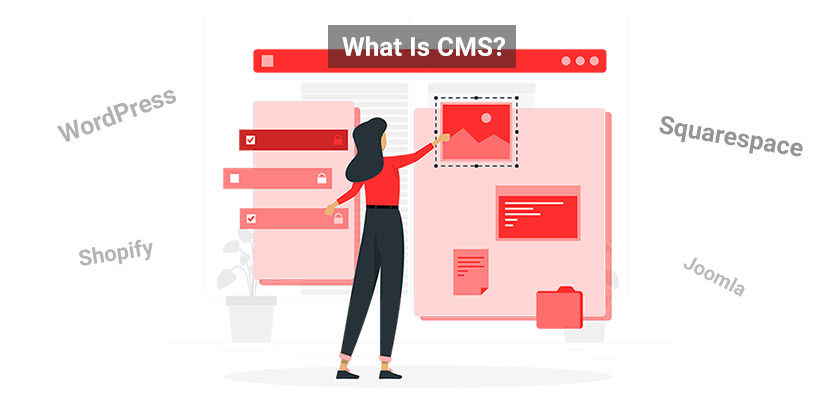
What is a Content Management System (CMS)?
A Content Management System (CMS) is a browser-based software tool designed to simplify the creation and maintenance of websites. It offers an intuitive interface that enables users to develop and manage their sites without requiring any coding knowledge. This makes CMS platforms ideal for users of all skill levels, from beginners to experienced developers.
This article is part of Rackset’s Web Design guides — browse the rest of the category for more in-depth tutorials on this topic.
Key Features of a CMS
A CMS typically provides a variety of features that streamline the website management process:
- Content Organization: Easily structure and manage your website’s content with categories, tags, and other organizational tools.
- Template Customization: Choose from a wide range of pre-made templates and themes to customize the look and feel of your website.
- Image and Media Management: Upload, edit, and manage images and other media files directly within the CMS.
- Web Page Creation: Quickly build new web pages using drag-and-drop editors or pre-defined layouts.
- SEO Tools: Optimize your website for search engines with built-in SEO tools and plugins.
- User Management: Control user access and permissions to ensure secure website management.
Benefits of Using a CMS
Using a CMS provides numerous advantages, including:
- User-Friendly Interface: The intuitive design allows individuals without technical expertise to manage and update their websites effectively.
- Scalability: Easily expand your website as your business grows by adding new features, pages, and functionalities.
- Cost-Effectiveness: Reduce development costs by utilizing pre-built templates and plugins instead of custom coding.
- Community Support: Many CMS platforms have large communities that offer support, plugins, and updates to enhance your website.
Choosing the Right CMS
With numerous CMS platforms available, each with its own strengths and weaknesses, selecting the right one for your needs is crucial. Consider factors such as ease of use, customization options, scalability, and community support when making your decision. Additionally, ensure that your chosen CMS is compatible with your web hosting service to optimize performance.
Key Features of Modern CMS Platforms
Modern Content Management Systems (CMS) are equipped with a variety of features designed to make website creation and management as seamless as possible. Here are some of the key features that define today’s CMS platforms:
User-Friendly Interface
Most CMS platforms provide an intuitive, user-friendly interface that allows users to manage their websites without needing extensive technical expertise. This includes:
- Drag-and-Drop Functionality: Easily arrange content blocks and widgets on your web pages.
- WYSIWYG Editors: “What You See Is What You Get” editors enable users to create and edit content visually.
Template and Theme Customization
CMS platforms offer a wide range of templates and themes that users can customize to fit their brand’s aesthetic. Key aspects include:
- Responsive Design: Templates are often designed to be mobile-friendly, ensuring a consistent user experience across devices.
- Customization Options: Modify colors, fonts, and layouts without coding knowledge.
Content Organization and Management
Efficient content management is at the core of any CMS. Features include:
- Content Categorization: Organize posts, pages, and media into categories and tags for easy navigation and searchability.
- Version Control: Track changes and revert to previous versions of content if needed.
SEO Optimization Tools
Many CMS platforms come with built-in SEO tools or support plugins that help improve your website’s visibility in search engines. These tools often include:
- Meta Tag Editing: Easily edit meta titles and descriptions.
- XML Sitemaps: Automatically generate sitemaps to help search engines index your site.
Security Features
Security is a priority for modern CMS platforms. Common security features include:
- User Roles and Permissions: Control access to different parts of the CMS based on user roles.
- Regular Updates: Platforms frequently release updates to patch vulnerabilities.
Plugin and Extension Support
Extend the functionality of your CMS with plugins and extensions. This feature allows for:
- Enhanced Features: Add new capabilities such as e-commerce, forums, or analytics.
- Community Support: Access a wide range of third-party plugins developed by the community.
How CMS Transforms Web Development
Simplifying Website Creation
A Content Management System (CMS) revolutionizes web development by making website creation accessible to individuals without technical expertise. Traditionally, building a website required extensive knowledge of HTML, CSS, and JavaScript. However, with a CMS, users can develop and manage their sites through a user-friendly interface, eliminating the need for coding skills.
Streamlining Content Management
One of the most significant transformations brought by a CMS is the streamlined management of website content. Users can easily organize, edit, and publish content without navigating complex backend processes. This is particularly beneficial for businesses that require frequent updates to their web pages, as it allows for quick and efficient content changes.
Key Features of CMS
- Intuitive Dashboard: Provides an overview of the website’s performance and content status.
- Template Customization: Offers a variety of pre-made templates that can be customized to fit the brand’s identity.
- Plugin/Add-on Integration: Enhances functionality by allowing the integration of various plugins and add-ons.
- SEO Tools: Built-in tools to optimize the website for search engines, improving visibility and traffic.
Enhancing Collaboration
CMS platforms facilitate collaboration among team members by providing multi-user access. This feature allows different users to work on various aspects of the website simultaneously, improving workflow efficiency. With role-based permissions, team members can be assigned specific tasks, ensuring that content creation and management are handled by the right individuals.
Read more: Smart Content, Smarter Results: Using AI Personalization Sites
A professional, well-built website is the first step to a serious online presence. Rackset’s WordPress website design takes you from domain to launch with a fast, responsive, SEO-ready site.
Improving Website Maintenance
Maintaining a website can be cumbersome without the right tools. A CMS simplifies this process by providing automated updates and security patches, reducing the risk of vulnerabilities. This ensures that the website remains functional and secure, allowing users to focus on content and user engagement rather than technical upkeep.
Adapting to Technological Changes
As technology evolves, so do the requirements for web development. A CMS keeps pace with these changes by offering regular updates and new features. This adaptability ensures that websites remain current and can incorporate the latest technological advancements, such as mobile responsiveness and e-commerce capabilities.
Conclusion
In summary, a CMS transforms web development by simplifying website creation, streamlining content management, enhancing collaboration, improving maintenance, and adapting to technological changes. These benefits make it an essential tool for businesses and individuals looking to establish a strong online presence without the complexities of traditional web development.
Top 10 CMS Platforms to Consider
1. WordPress
WordPress is the most widely used CMS, powering over 50% of all websites. It offers extensive customization options through thousands of themes and plugins, making it suitable for any type of website. Our WordPress VPS Hosting ensures optimal performance and security for your WordPress site.
2. Joomla
Joomla is known for its flexibility and is particularly popular for building complex websites and online applications. It provides a robust set of features and a large community of developers who contribute to its extensive library of extensions.
3. Drupal
Drupal is a powerful CMS favored for its scalability and security. It is ideal for large, complex sites with high traffic. Drupal’s modular architecture allows developers to create custom solutions tailored to specific needs.
4. Magento
Magento is a leading CMS for e-commerce websites. It offers a wide range of features designed to enhance online shopping experiences, including product management, payment processing, and marketing tools.
5. Shopify
Shopify is a user-friendly platform designed specifically for e-commerce. It provides a comprehensive set of tools to build, manage, and grow an online store, with a focus on ease of use and scalability.
6. Wix
Wix is a cloud-based website builder that offers a simple drag-and-drop interface, making it accessible for beginners. It provides a variety of templates and design elements to create visually appealing websites quickly.
7. Squarespace
Squarespace is known for its sleek, professional templates and all-in-one platform. It is ideal for creatives and small businesses looking to establish a strong online presence with minimal technical effort.
8. TYPO3
TYPO3 is a versatile CMS that is highly extensible and suitable for enterprise-level websites. It supports multilingual sites and offers advanced user permissions, making it a powerful tool for large organizations.
9. Ghost
Ghost is a CMS focused on professional publishing. It is designed for bloggers and journalists, offering a clean, minimalist interface and powerful content management features.
10. PrestaShop
PrestaShop is another popular e-commerce CMS that provides a wide range of features to manage online stores. It is open-source and highly customizable, allowing businesses to tailor their online presence to their specific needs.
Choosing the Right CMS for Your Needs
Selecting the appropriate content management system (CMS) for your website is crucial for efficient management and scalability. Here are some key considerations to help you make an informed decision:
Read more: Content Delivery Networks (CDNs) vs. Load Balancers
Every website needs stable, fast hosting to stay online. Rackset’s web hosting runs on NVMe storage with high uptime and 24/7 support, giving your site a reliable foundation.
Identify Your Website’s Purpose
- Personal Blog: If you’re planning to start a personal blog, WordPress is an excellent choice due to its ease of use and extensive plugin ecosystem.
- Business Website: For business websites, consider platforms like Joomla or Drupal, which offer robust features and flexibility for complex site structures.
- E-commerce Store: If your focus is on e-commerce, Shopify and Magento are tailored for online stores, providing specialized tools for product management and payment processing.
Assess Your Technical Expertise
Consider your technical skills and resources. Some platforms, like WordPress, are user-friendly and ideal for beginners. Others, such as Drupal, may require more technical knowledge but offer greater customization potential.
Evaluate Customization and Flexibility
- Themes and Templates: Ensure the CMS offers a wide range of customizable themes and templates to match your brand’s aesthetic.
- Plugins and Extensions: Check for available plugins or extensions that can enhance functionality, such as SEO tools, social media integration, and analytics.
Consider Performance and Scalability
Performance is critical for user experience and SEO. Choose a CMS that can handle your expected traffic and offers scalability options as your site grows. WordPress, for example, is highly scalable with the right hosting plan.
Review Security Features
Security should be a top priority. Look for CMS platforms that offer regular updates, security plugins, and robust user management systems to protect your site from vulnerabilities.
Compare Costs
Consider the total cost of ownership, including hosting, domain registration, premium themes, and plugins. Some platforms, like WordPress, are free but may incur costs for additional features, while others like Shopify have monthly fees.
Test the CMS
Most CMS platforms offer demos or trial versions. Take advantage of these to test the user interface, features, and overall feel before committing.
By carefully considering these factors, you can select a CMS that aligns with your website’s goals, budget, and technical requirements, ensuring a seamless and effective online presence.
Enhancing Website Performance with CMS Hosting
Choosing the right hosting solution is critical to maximizing the performance of your CMS-powered website. The hosting environment you select can significantly impact your site’s speed, security, and reliability. Here’s how CMS hosting can enhance your website’s performance:
Optimized Server Resources
When you opt for CMS-specific hosting, such as WordPress VPS Hosting, the server environment is tailored to meet the unique demands of your CMS. This means optimized server configurations, including PHP versions, caching mechanisms, and database management, which collectively enhance your website’s performance.
Improved Load Times
Speed is a crucial factor for user experience and SEO. CMS hosting often includes integrated caching solutions and Content Delivery Networks (CDNs) that reduce load times by serving your content from the nearest server to the user. This ensures that your website remains fast, even during high traffic periods.
Enhanced Security Measures
Security is paramount for any website. CMS hosting providers offer specialized security features, such as regular updates, malware scanning, and firewalls, tailored to protect CMS platforms. These measures help safeguard your site against potential threats and vulnerabilities.
Scalability and Flexibility
As your website grows, your hosting needs may change. CMS hosting solutions typically offer scalable resources, allowing you to easily upgrade your hosting plan to accommodate increased traffic and storage needs without significant downtime.
Technical Support and Maintenance
With CMS hosting, you often receive expert support from teams familiar with your CMS’s intricacies. This support can be invaluable in troubleshooting issues, performing routine maintenance, and ensuring your CMS is running smoothly.
Key Benefits of CMS Hosting
- Optimized server settings for better performance
- Faster load times through caching and CDNs
- Robust security features tailored to CMS platforms
- Scalable resources to grow with your website
- Expert technical support and maintenance
In conclusion, selecting a CMS hosting solution tailored to your specific platform can significantly enhance your website’s performance. Whether you’re using WordPress, Joomla, or another CMS, investing in the right hosting environment is crucial for delivering a fast, secure, and reliable user experience.
Read more: 15 Top Ecommerce Platforms to Build Your Online Store
Customizing Your Website with CMS Modules
Customizing your website using CMS modules is a powerful way to enhance functionality and tailor your site to meet specific needs. CMS modules, often referred to as plugins, extensions, or add-ons, are software components that integrate seamlessly into your content management system, providing additional features and capabilities without the need for extensive coding.
WordPress sites run faster and safer on a platform tuned for them. Rackset’s managed WordPress hosting adds WordPress-specific caching, security and automatic updates so your site stays quick and protected.
Benefits of Using CMS Modules
- Enhanced Functionality: Modules can add a wide range of features, from SEO tools to social media integration, e-commerce capabilities, and more.
- Ease of Use: Most modules are designed to be user-friendly, allowing you to install and configure them with minimal technical knowledge.
- Cost-Effective: Many CMS modules are free or available at a low cost, making them an economical choice for expanding your website’s capabilities.
- Scalability: As your website grows, you can add or remove modules to adjust functionality without overhauling your entire site.
Popular CMS Modules and Their Uses
Different CMS platforms offer a variety of modules tailored to specific functionalities. Here are some popular modules for commonly used CMS platforms:
WordPress
- Yoast SEO: A comprehensive SEO tool to optimize your content for search engines.
- WooCommerce: A powerful e-commerce module for setting up an online store.
- Elementor: A drag-and-drop page builder for creating custom layouts.
Joomla
- JCE Editor: An advanced content editor with additional features for content creation.
- VirtueMart: An e-commerce solution for online selling.
- Community Builder: A module for creating social networks and online communities.
Drupal
- Views: A module for creating, managing, and displaying lists of content.
- Pathauto: Automatically generates URL/path aliases for content.
- Webform: A tool for building custom forms for data collection.
Installing and Managing CMS Modules
Installing modules on your CMS is typically a straightforward process:
- Access the module or plugin directory from your CMS dashboard.
- Search for the desired module using keywords.
- Click to install the module, then activate it once installed.
- Configure the module settings as needed to fit your website’s requirements.
Regularly update your modules to ensure compatibility with your CMS and maintain site security. Deactivate or remove any unused modules to optimize performance.
The Future of Content Management Systems
The landscape of content management systems (CMS) is rapidly evolving, driven by technological advancements and changing user needs. As we look toward the future, several trends and innovations are poised to shape the way we develop and manage websites.
Headless CMS
One of the most significant trends is the rise of headless CMS. Unlike traditional CMS, a headless CMS decouples the front-end presentation layer from the back-end content management system. This allows developers to use any front-end technology to deliver content, offering greater flexibility and scalability.
Artificial Intelligence and Automation
AI is becoming increasingly integrated into CMS platforms, enhancing capabilities such as content personalization, SEO optimization, and predictive analytics. Automation tools are also being developed to streamline routine tasks, such as content updates and backups, further reducing the workload for website administrators.
Improved User Experience
As user expectations continue to rise, CMS platforms are focusing on enhancing user experience. This includes more intuitive interfaces, better mobile responsiveness, and advanced customization options. The goal is to make website management more accessible to users of all skill levels.
Security Enhancements
With the increasing number of cyber threats, CMS platforms are prioritizing security. Future developments will likely include more robust security features, such as enhanced encryption, two-factor authentication, and real-time threat detection.
Integration and Interoperability
Future CMS platforms will likely offer better integration with other tools and services, such as CRM systems, e-commerce platforms, and social media. This interoperability will enable businesses to create a seamless digital ecosystem, enhancing operational efficiency and customer engagement.
Focus on Performance
As websites become more complex, the performance of CMS platforms is becoming a critical concern. Future systems will likely focus on optimizing speed and performance, ensuring that websites load quickly and efficiently across all devices.
In conclusion, the future of content management systems is promising, with innovations that will make website management more efficient, secure, and user-friendly. Whether you’re using a platform like WordPress or exploring new headless CMS options, staying informed about these trends will help you make the best decisions for your website’s future.
Elevate Your Web Presence
Choosing the right CMS is crucial for your website’s success. Discover the power of WordPress with Rackset’s expert design services, ensuring a seamless user experience and stunning visuals.
Transform your site with Rackset today!
Conclusion
Choosing the right Content Management System (CMS) is a crucial decision that can significantly impact the functionality and success of your website. Each platform offers unique features tailored to different needs, from user-friendly interfaces for beginners to robust customization options for developers. By understanding the strengths and limitations of the top CMS platforms, you can make an informed choice that aligns with your website goals, whether you’re running a personal blog, an e-commerce site, or a corporate website.
As you consider your options, remember that the best CMS for your project is one that not only meets your current requirements but can also grow with your future needs. Take the time to evaluate each platform, test their features, and consider seeking expert advice if necessary. At Rackset, we are committed to supporting your online journey with reliable hosting solutions tailored to your chosen CMS. Whether you’re just starting out or looking to optimize your existing site, our services are designed to help you succeed. Explore our hosting plans today and take the next step in building your online presence.
Frequently Asked Questions
What is a CMS?
A Content Management System (CMS) is software that allows users to create, manage, and modify content on a website without needing specialized technical knowledge. It provides a user-friendly interface to handle various web elements, making it easier to maintain a site.
Why should I use a CMS for my website?
A CMS simplifies the process of managing website content, enabling users to update information, add new pages, and integrate multimedia without extensive coding skills. It also offers scalability and flexibility, allowing businesses to grow their online presence efficiently.
What are some popular CMS platforms?
Some popular CMS platforms include WordPress, Joomla, Drupal, Wix, and Squarespace. Each has unique features and advantages, catering to different types of users and website needs.
How do I choose the right CMS for my website?
Consider your website’s goals, technical requirements, and budget. Evaluate each CMS’s ease of use, customization options, scalability, and support community to find the best fit for your needs.
Can I switch my CMS platform later?
Yes, it is possible to switch CMS platforms, but it can be a complex process involving data migration, design adjustments, and potential downtime. It’s important to plan carefully and consult with experts if needed to ensure a smooth transition.

Behzad Nategh is the Founder and CEO of Rackset, with 20+ years in web hosting, cloud infrastructure, and web design. He writes on hosting, domains, security, and growing an online business.
Leave a Reply