In today’s digital age, ensuring your website provides an optimal viewing experience across a wide range of devices is crucial. Responsive web design has emerged as the key strategy, allowing websites to adapt seamlessly to different screen sizes, from desktops to smartphones. By employing techniques such as breakpoints, mobile-first design, and fluid layouts, developers can create flexible and user-friendly sites that maintain functionality and aesthetics, regardless of the device used to access them.
This article is part of Rackset’s Web Design guides — browse the rest of the category for more in-depth tutorials on this topic.
This article delves into the essential components of responsive web design, starting with an exploration of breakpoints and how they help tailor a website’s appearance on various devices. We’ll also discuss the mobile-first approach, a strategy that prioritizes designing for smaller screens before scaling up. Finally, we will explore fluid layouts, which allow content to adjust dynamically to fit any screen size. By understanding and implementing these concepts, you can ensure your website remains accessible and visually appealing to all users.
Understanding Responsive Web Design
Responsive web design is a crucial approach in modern web development that ensures websites function seamlessly across a variety of devices and screen sizes. It involves designing and coding a site to provide an optimal viewing experience, whether on a desktop monitor, tablet, or smartphone. Let’s explore the key components that make up responsive web design.
Breakpoints
Breakpoints are specific points in the design where the layout changes to accommodate different screen sizes. These are typically defined in CSS using media queries. By setting breakpoints, you can ensure that your website’s design adapts smoothly as the screen size changes.
- Common breakpoints include 320px for mobile devices, 768px for tablets, and 1024px for desktops.
- Breakpoints are not fixed and can be adjusted based on the specific needs of the design.
- Using media queries, you can apply different styles at each breakpoint.
Mobile-First Approach
The mobile-first approach suggests designing the mobile version of a website first and then scaling up for larger screens. This strategy ensures that the core functionality and user experience are optimized for mobile users, who often represent a significant portion of web traffic.
- Designing for mobile first encourages simplicity and efficiency.
- It prioritizes essential content and features, reducing unnecessary elements.
- Once the mobile design is complete, additional styles can be added for larger screens.
Fluid Layouts
Fluid layouts use relative units like percentages instead of fixed units like pixels to define the width of elements. This allows the layout to adapt to different screen sizes more naturally.
- Fluid grids maintain the structure and proportion of elements across various devices.
- They help in creating a seamless and consistent user experience.
- Combining fluid layouts with breakpoints enhances the flexibility of the design.
Fluid Grids and Flexible Images

Responsive web design is based on two key principles: fluid grids and flexible images. These elements ensure that web pages adapt seamlessly to different screen sizes and resolutions. Understanding how to implement these components is crucial for creating a user-friendly and visually appealing website.
Read more: How to Choose a Web Design Agency: 10 Questions to Ask Before You Hire
If you need this service, Rackset’s team provides professional website design with full support so you can rely on the quality and get set up quickly.
Fluid Grids
Fluid grids are an essential component of responsive web design. Unlike fixed-width layouts, fluid grids use relative units like percentages instead of fixed units like pixels. This allows elements to resize proportionally based on the screen size.
- Proportional Scaling: Elements within a fluid grid adjust their size relative to the viewport, maintaining a consistent layout across devices.
- Flexible Columns: By using a flexible grid, you can easily define columns that adapt to various screen sizes, ensuring content remains readable and accessible.
- Improved User Experience: Fluid grids enhance user experience by providing a seamless transition between different devices, from desktops to smartphones.
Flexible Images
Images play a crucial role in responsive web design. Flexible images ensure that visual content scales appropriately without losing quality or causing layout issues.
- Using CSS: Apply CSS properties like
max-width: 100%;to ensure images do not exceed the width of their containing element. - Responsive Image Formats: Utilize modern image formats like WebP and SVG for better scalability and performance.
- Adaptive Image Loading: Implement techniques such as lazy loading to optimize image delivery based on the user’s device and network conditions.
By integrating fluid grids and flexible images, web designers can create responsive layouts that provide a consistent and optimized user experience across all devices.
Media-Query Breakpoints
Media-query breakpoints are a fundamental aspect of responsive web design, allowing developers to create styles that adapt to different screen sizes and orientations. By using media queries, you can define specific CSS rules that apply only when certain conditions are met, such as the width of the viewport. This ensures that your website looks great on all devices, from smartphones to large desktop monitors.
Understanding Breakpoints
Breakpoints are the points at which your website’s content will adjust its layout to provide an optimal viewing experience. These are typically defined by screen width, but can also include other criteria like screen height, resolution, or even aspect ratio. The goal is to create a seamless user experience by ensuring that content is easy to read and navigate, regardless of the device being used.
Common Breakpoints
- 320px: Small devices such as smartphones in portrait mode.
- 480px: Larger smartphones in landscape mode.
- 768px: Tablets in portrait mode.
- 1024px: Tablets in landscape mode or small laptops.
- 1200px: Desktops and laptops with larger screens.
Implementing Breakpoints with Media Queries
Media queries allow you to apply specific CSS rules at different breakpoints. Here’s an example of how to use media queries to target different screen sizes:
/* Smartphones */
@media (max-width: 480px) {
    body {
        font-size: 14px;
    }
}

/* Tablets */
@media (min-width: 481px) and (max-width: 768px) {
    body {
        font-size: 16px;
    }
}

/* Desktops */
@media (min-width: 769px) {
    body {
        font-size: 18px;
    }
}
By using these media queries, you can ensure that your website’s typography, layout, and other design elements adjust automatically to provide the best possible user experience across various devices.
Read more: The Complete Website Redesign Process: Step-by-Step Guide from Audit to Launch
A professional, well-built website is the first step to a serious online presence. Rackset’s WordPress website design takes you from domain to launch with a fast, responsive, SEO-ready site.
The Mobile-First Approach
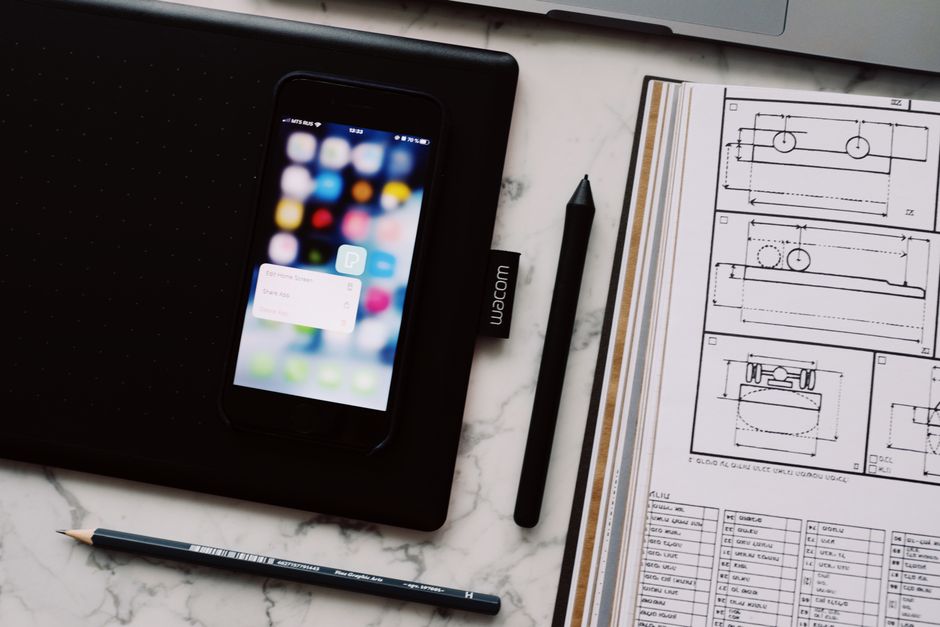
The mobile-first approach is a design strategy that prioritizes the mobile user experience by starting with the smallest screen size and progressively enhancing the design for larger screens. This method ensures that the core content and functionality are accessible on mobile devices, which often have slower connections and limited processing power.
Why Choose Mobile-First?
- User Experience: With the increasing number of users accessing websites via mobile devices, a mobile-first approach ensures that your site is optimized for the majority.
- Performance: Designing with mobile constraints in mind often leads to cleaner, more efficient code, which can improve loading times across all devices.
- SEO Benefits: Search engines like Google prioritize mobile-friendly sites, which can enhance your search rankings.
Implementing Mobile-First Design
- Start with Content: Focus on the essential content that needs to be displayed on smaller screens. This helps in defining the core structure of your design.
- Use Media Queries: Begin with a mobile layout and use CSS media queries to add styles for larger screens. This ensures that the design adapts as the screen size increases.
- Progressive Enhancement: Add features and enhancements for larger screens without compromising the mobile experience.
Best Practices
- Responsive Images: Use the
srcsetattribute to serve different image sizes based on the device’s display capabilities. - Touch-Friendly Design: Ensure that buttons and links are easily tappable on touchscreens with adequate spacing.
- Test Across Devices: Regularly test your website on various devices and screen sizes to ensure a consistent and optimal user experience.
Common Responsive Design Patterns
Responsive web design patterns are essential for creating a seamless user experience across various devices. By understanding and implementing these patterns, developers can ensure that websites are both functional and visually appealing, regardless of screen size. Below are some common responsive design patterns used in modern web development.
Mostly Fluid
The Mostly Fluid pattern is a popular choice for responsive design. It involves using a fluid grid layout where elements resize proportionally to the screen size. This pattern ensures that the content remains readable and visually balanced on any device. It is achieved by setting widths in percentages rather than fixed units, allowing for a more flexible design.
Column Drop
The Column Drop pattern is commonly used for multi-column layouts. As the screen size decreases, columns rearrange by dropping below one another. This pattern helps maintain readability and usability by stacking content vertically on smaller screens, making it easier for users to scroll through the information.
Layout Shifter
The Layout Shifter pattern is more complex and involves altering the overall layout of a page based on the screen size. This could mean rearranging elements, changing navigation styles, or even swapping out images for smaller versions. This pattern provides an optimal viewing experience by tailoring the layout to fit the device’s dimensions.
Off-Canvas
The Off-Canvas pattern is widely used for navigation menus on mobile devices. It involves hiding the menu off-screen and revealing it through a toggle action, such as tapping a button. This pattern saves valuable screen space and allows users to focus on the main content while still having easy access to navigation options.
Read more: Leading Web Design Firms in the USA
Flexible Images
Flexible Images ensure that visual content scales appropriately with the screen size. Using CSS techniques such as max-width: 100% or the picture element with source sets, images can adapt to different devices without losing quality. This pattern is crucial for maintaining the aesthetic integrity of a website.
If you need this service, Rackset’s team provides professional WordPress hosting with full support so you can rely on the quality and get set up quickly.
Testing Across Devices and Its Impact on UX and SEO
Ensuring that your website is responsive across all devices is crucial for delivering a seamless user experience (UX) and optimizing for search engines (SEO). Testing your website on various devices and screen sizes helps identify issues that could negatively impact user engagement and search rankings.
Importance of Cross-Device Testing
With the diversity of devices today, from smartphones and tablets to laptops and desktops, cross-device testing is essential. This process ensures that your website maintains its functionality and appearance regardless of the device being used. Responsive web design relies on breakpoints and flexible layouts to achieve this adaptability.
- User Experience: A consistent and intuitive UX across devices increases user satisfaction and reduces bounce rates.
- SEO Benefits: Search engines prioritize mobile-friendly websites. A responsive design helps improve your site’s visibility and ranking.
Techniques for Effective Testing
To effectively test your website’s responsiveness, consider the following techniques:
- Emulators and Simulators: Use online tools to simulate different devices and screen sizes. This helps identify layout issues without needing physical devices.
- Manual Testing on Devices: Access your website on actual devices to get a real-world perspective of its performance and appearance.
- Automated Testing Tools: Leverage automated testing solutions to quickly identify and fix responsive design issues.
Rackset’s Role in Responsive Web Design
Rackset’s robust hosting solutions provide the reliable infrastructure needed for responsive web design. Our servers ensure fast load times and optimal performance, which are critical for both UX and SEO. With Rackset, you can efficiently manage your website’s resources, ensuring a seamless user experience across all devices.
Need expert help from Rackset?
Want this done fast, professionally and hassle-free? Rackset’s experienced team and full support are here to help you get the best result.
Conclusion
Responsive web design is an essential practice in today’s digital landscape, ensuring that your website provides a seamless experience across all devices. By understanding and implementing breakpoints, adopting a mobile-first approach, and utilizing fluid layouts, you can create a versatile website that caters to a diverse audience. These strategies not only enhance user experience but also contribute to improved search engine rankings and overall site performance.
As you embark on optimizing your website for responsiveness, consider the robust hosting solutions offered by Rackset. Our reliable and scalable hosting services provide the perfect foundation for your responsive web design efforts, ensuring fast load times and optimal performance on any device. Let Rackset support your journey to a more accessible and user-friendly online presence.
Frequently Asked Questions
What is responsive web design?
Responsive web design is an approach to web development that ensures a website looks and functions well on devices of all sizes. It uses flexible layouts, images, and CSS media queries to adapt the design to different screen resolutions and orientations.
What are breakpoints in responsive web design?
Breakpoints are specific points defined in CSS where the layout of a website changes to accommodate different screen sizes. They help in adjusting the design and layout to provide an optimal viewing experience on various devices.
What does mobile-first design mean?
Mobile-first design is a strategy where web designers start creating the website for mobile devices first before scaling it up for larger screens. This approach ensures that the core content and functionalities are accessible on smaller screens, enhancing user experience.
How do fluid layouts work in responsive web design?
Fluid layouts use relative units like percentages instead of fixed units like pixels to define widths. This allows the layout to adjust smoothly to the screen size, providing a consistent look across different devices.
Why is responsive web design important?
Responsive web design is crucial because it enhances user experience by ensuring that websites are accessible and usable on any device. It also improves SEO rankings as search engines favor mobile-friendly websites.
Leave a Reply